 Michael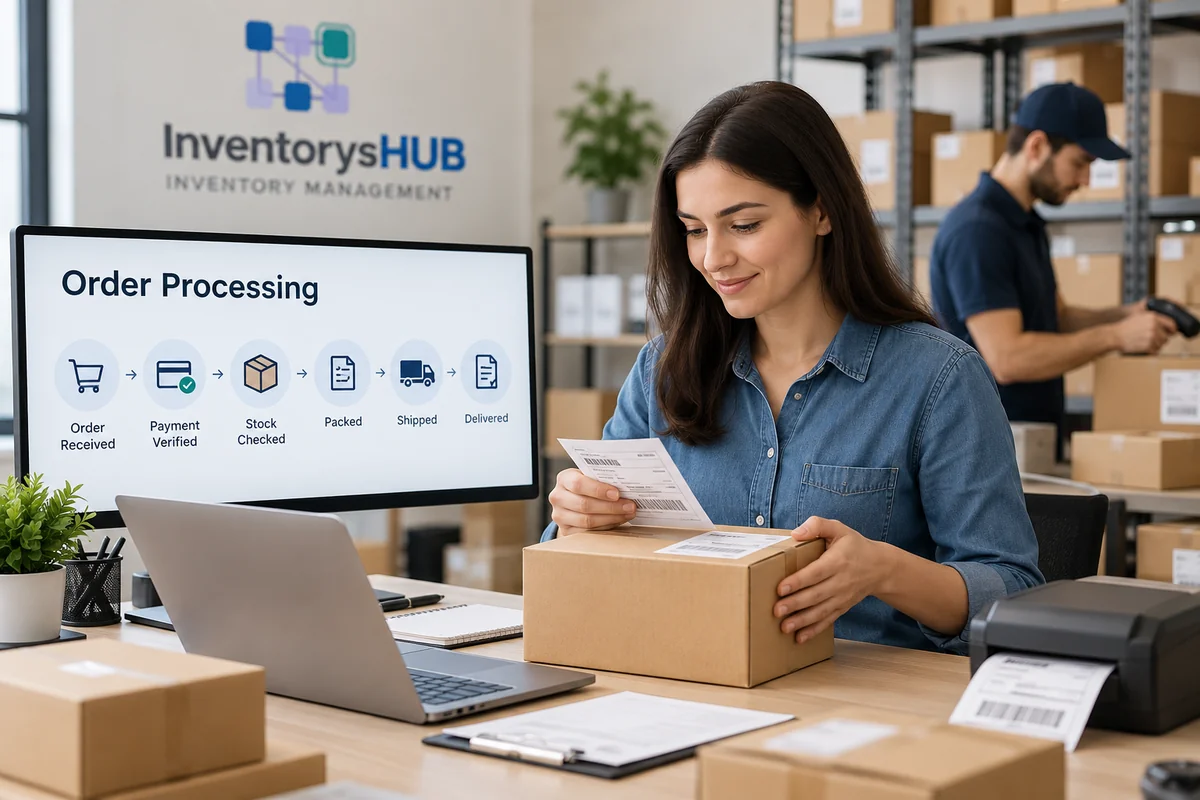
Order processing is the full set of actions a business takes after a buyer places an order. It runs until the product is delivered, and any return or payment issue is solved. It covers order capture, payment checks, stock checks, picking, packing, shipping, and after-sales updates.
When order processing works well, buyers get the right product on time and stay informed. When it fails, the result is wrong items, late deliveries, stock-outs and buyers who rarely return. This guide explains the key order processing steps and how the sales order process fits in. It also shows what a healthy order workflow looks like. You will see how InventorysHub order management software helps you automate all of it.
Quick Summary
- Order processing starts when a buyer orders. It ends when the item is delivered and the order is closed.
- The core order processing steps are received, verify, check stock, confirm, pick, pack, ship, track, and handle returns.
- Manual handling causes errors, delays, and overselling.
- Order management software automates the order workflow and improves accuracy.
- Real-time order tracking keeps buyers informed and reduces support queries.
Why an Efficient Order Workflow Matters
Order processing is the end-to-end workflow that turns a customer’s purchase into a delivered product. It links sales and stock, and the warehouse and shipping and customer service into one flow. Each team then knows what has been sold. They know what is in stock and what is on its way.
You may sell online and, in a store, or through distributors. Each order still follows a similar path. The difference lies in scale and speed. A small shop might handle twenty orders a day by hand. A growing business has hundreds of orders across many channels. It needs a clear system to avoid chaos.
The quality of your order processing shapes the whole business. Fast and correct delivery builds buyer trust and repeats purchases. Faster fulfillment shortens the time to get paid. This helps cash flow. Each order also updates stock levels. Correct processing keeps your inventory data honest. Fewer errors mean fewer returns, refunds, and support hours.
The 9 Steps from Purchase to Delivery
Most businesses follow the same basic order processing steps even if they use different names. Together they form the basis of a reliable sales order process.
Step 1: Order Receipt
The order arrives through your website, a marketplace, a phone call, an email, or a sales representative. The system records the buyer’s details, items, quantities, prices, and delivery address. Accuracy matters here. A wrong address or SKU entered now will cause problems at each later stage.
Step 2: Order Verification and Payment
Next, the business confirms that the order is valid. This means checking payment status, applying taxes and discounts, and flagging duplicate or suspicious orders. For B2B sales, this step may also include a credit check or purchase order approval. This comes before anything moves on.
Step 3: Inventory Check
Before you promise delivery, you need to know if the item is in stock. The system checks stock across warehouses and locations. If stock is low, the order can be split, backordered, or routed elsewhere. Without live inventory data, businesses often oversell. This leads to cancellations and unhappy buyers.
Step 4: Order Confirmation
The buyer gets confirmation with the order number, item details, and an expected delivery date. This one message answers many questions before they are asked. It also cuts down “Where is my order?” Queries.
Step 5: Picking
Warehouse staff find and collect the ordered items. Good picking depends on clear bin locations, correct pick lists, and barcode scanning. Picking from memory or paper lists is a top source of mistakes in the whole order workflow.
Step 6: Packing
Items are checked against the order, packed securely, and labeled. Invoices and packing slips go into the box. A quick quality check here stops wrong or damaged shipments from leaving the building.
Step 7: Shipping and Dispatch
The order is handed to a courier or delivery partner. The system makes the shipping label, assigns a tracking number, and sets the order status to ship. Both your team and your buyer can then see the handover happen.
Step 8: Order Tracking and Delivery
From dispatch to doorstep, buyers expect to know where their package is. This is where order tracking becomes essential. Clear status updates build confidence. They save your support team from answering the same question again and again.
Step 9: Returns, Refunds and Closure
If a buyer returns an item, the business inspects it. It restocks the item when possible and issues a refund or replacement. Once all is settled, the order is closed. Its data is stored for reports and future decisions.
How Sales Orders Move Through a Business
The sales order process is the business side of order processing. It begins when a buyer agrees to buy, and a sales order is created. It focuses on the documents and approvals around the physical movement of goods.
A typical sales order process starts with a quotation or inquiry. Here the buyer asks for pricing or availability. Once the buyer accepts, the quote becomes a sales order. Managers or finance may need to approve it. The warehouse then fulfills the order and an invoice is sent. Finally, the payment is collected and recorded.
In short order processing is the full day-to-day journey. The sales order process covers the paperwork and approvals inside it. Both must stay in sync, or you will see billing errors, mismatched stock and confused buyers.
What Does a Good Order Workflow Look Like?
An order workflow is the set path an order follows between teams and systems. A strong workflow gives each order a visible status, such as new, confirmed, packed, shipped, delivered or returned. Nobody must ask where things stand.
It also relies on automatic triggers. When payment is confirmed, the order should move to picking without anyone retyping it. Sales, warehouses, and support teams should share one source of truth. Exceptions like failed payments should be flagged fast. An audit trail should show who changed what and when.
Common Fulfillment Problems
Even experienced businesses run into the same problems repeatedly. Manual data entry is the first. Typing one order into many systems wastes time and invites errors. Overselling comes next. If inventory is not updated at once, you may sell items that you simply do not have.
Slow fulfillment is another challenge. Orders sit idle without clear priorities and pick lists. Poor visibility pushes support calls up. Multi-channel selling scatter orders across different places. Unmanaged returns leave refunds delayed, and stock counts out of sync. Each problem shares one root cause: disconnected tools and manual steps.
Manual vs Automated Workflows
| Factor | Manual Processing | Automated Processing |
| Data entry | Repeated, error-prone | Captured once, synced everywhere |
| Speed | Slow, depends on staff | Fast, rule-based |
| Inventory accuracy | Often outdated | Updated in real time |
| Visibility | Limited | Full status tracking |
| Scalability | Hard to grow | Handles volume spikes |
| Cost over time | Rises with volume | More efficient as you scale |
Manual methods can work at very low volume. But once you add more products, channels or warehouses, automation becomes the practical choice.
How Order Management Software Improves Order Processing
Order management software connects each stage of order processing in one platform. You do not need to juggle spreadsheets and emails and separate tools. You manage orders, stock, shipping and buyer updates from a single dashboard. InventorysHub order management software is built to do exactly that.
Centralized Order Capture
Orders from each sales channel flow into one place. There is no copying details from one system to another. This removes duplicate entry and the mistakes that come with it.
Real-Time Inventory Sync
Each order itself updates stock levels. You always know what is available, what is reserved, and what needs reordering. This prevents overselling and keeps your sales order process reliable.
Automated Order Workflow
Rules move orders through each stage without manual pushes. A paid order can trigger a pick list, then a shipping label, then a buyer notification. All this happens without anyone lifting a finger.
Faster Picking, Packing and Shipping
Barcode scanning, pick lists, and shipping integrations help warehouse teams work faster with fewer errors. More orders leave on time. Fewer came back.
Real-Time Order Tracking
With real-time order tracking, your team and your buyers see live status updates from confirmation to delivery. That openness builds trust and cuts down on repeat “Where is my order?” Calls and emails.
Reporting and Insights
Dashboards show order volume, fulfillment time, return rates, and best-selling products. These insights help you improve the order workflow. They also help you plan inventory with real data instead of guesswork.
Benefits of Automating Order Processing
Automation raises order accuracy because fewer people retype data. It speeds up delivery because handoffs between teams become smooth. Operating costs fall, and buyers get clearer updates. You can also handle more orders without hiring at the same pace.
Best Practices for Good Order Processing
Start by documenting each step so the whole team follows the same order workflow. Keep inventory correct with barcode scanning and regular cycle counts. Automate confirmations, invoices, and status updates. Offer order tracking for early updates. Review cycle time and error rate each week. Keep a simple returns process in place.
Who Needs to Order Processing Software?
Think about order management software if you sell on more than one channel or manage many SKUs. It also fits you if you struggle with overselling. It fits if you spend hours on manual data entry or plan to grow. Retailers, wholesalers, distributors, manufacturers and ecommerce brands all benefit from a clear order processing system.
Order processing is the backbone of each product-based business. Make the order processing steps clear. Keep the sales order process organized. Automate the order workflow. Then you ship faster and make fewer mistakes. Your buyers stay happy.
If you still manage orders through spreadsheets or scattered tools, it may be time to upgrade. InventorysHub’s order management software brings orders, inventory, shipping and tracking into one simple system. You can then focus on growing your business instead of fixing process errors.
Frequently Asked Questions
What is order processing in simple words?
Order processing is everything a business does to fulfill a customer’s order. It runs from receiving the order to deliver the product and handling returns.
What are the main order processing steps?
The main order processing steps are order receipt, verification and payment, inventory check, confirmation, picking, packing, shipping, tracking and returns or closure.
What is the difference between order processing and order fulfillment?
Order fulfillment is the physical part: picking, packing, and shipping. Order processing is broader. It includes fulfillment plus order entry, payment checks, inventory updates, tracking, and returns.
What is the sales order process?
The sales order process is the sequence from quotation to sales order creation, approval, fulfillment, invoicing, and payment collection.
How does order management software help?
Order management software automates the order workflow and syncs inventory in real time. It reduces manual errors, speeds up shipping, and gives live order tracking to teams and buyers.
Can small businesses use order management software?
Yes. Small businesses often gain the most. Automation saves time and prevents costly errors as they grow.
Why is real-time order tracking important?
Real-time order tracking gives buyers live shipment updates. It reduces support queries and increases trust in your brand.