 Michael
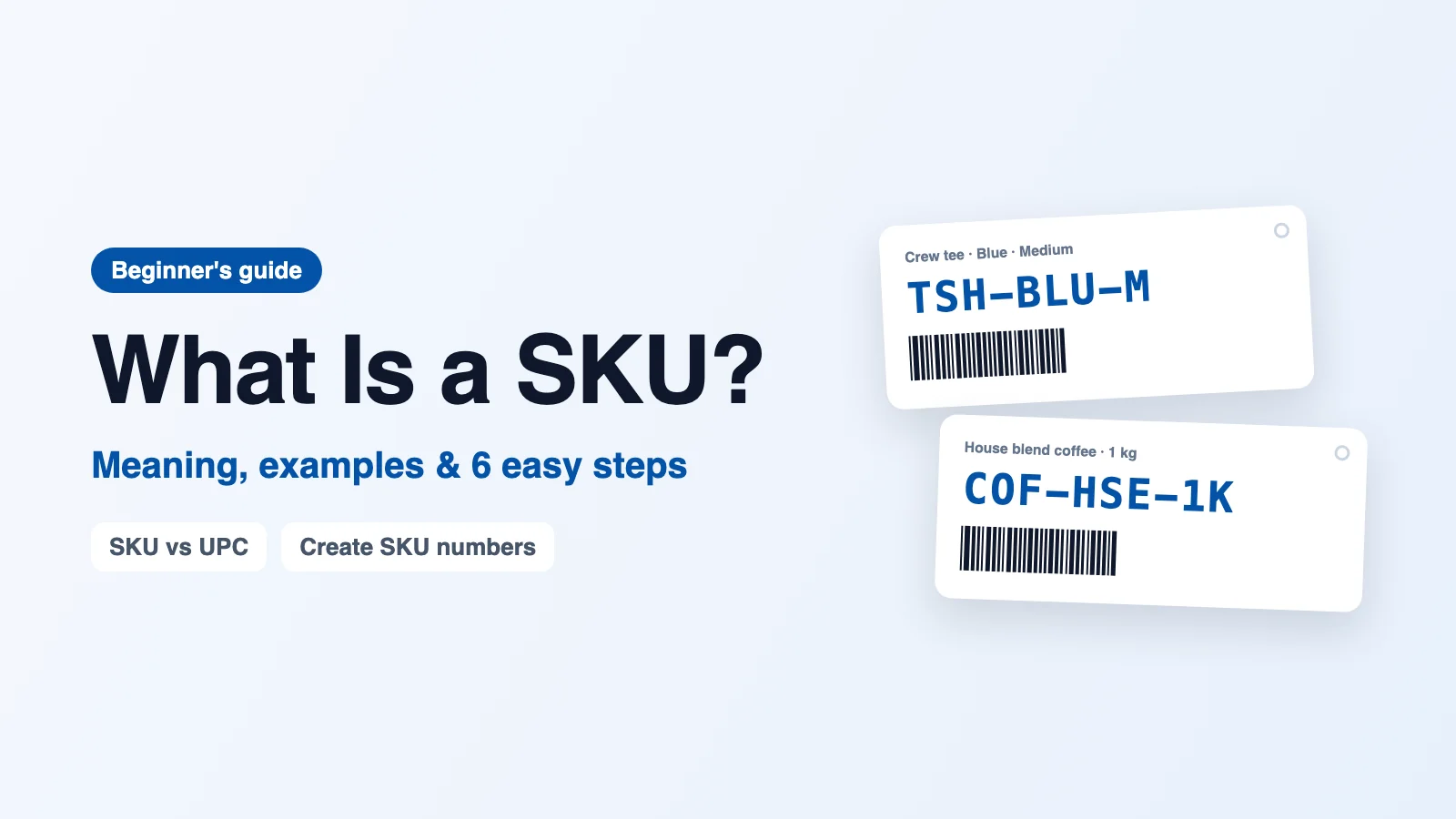
What is a SKU? A SKU is a short code that a business gives to each product it sells, so it can tell every item apart at a glance. If you have ever asked what does SKU stand for, the answer is stock keeping unit. A blue cotton T-shirt in size medium might carry the SKU TSH-BLU-M, while the same shirt in size large becomes TSH-BLU-L. Each version gets its own code because each one is counted, sold and reordered separately.
Unlike a barcode number printed by the manufacturer, a SKU is created by you, for your own business. That makes it one of the simplest and most useful habits a growing shop can adopt. This guide explains the SKU meaning in plain words, shows real examples, compares SKU vs UPC, and walks you through how to create SKU numbers that stay clear as your range grows.
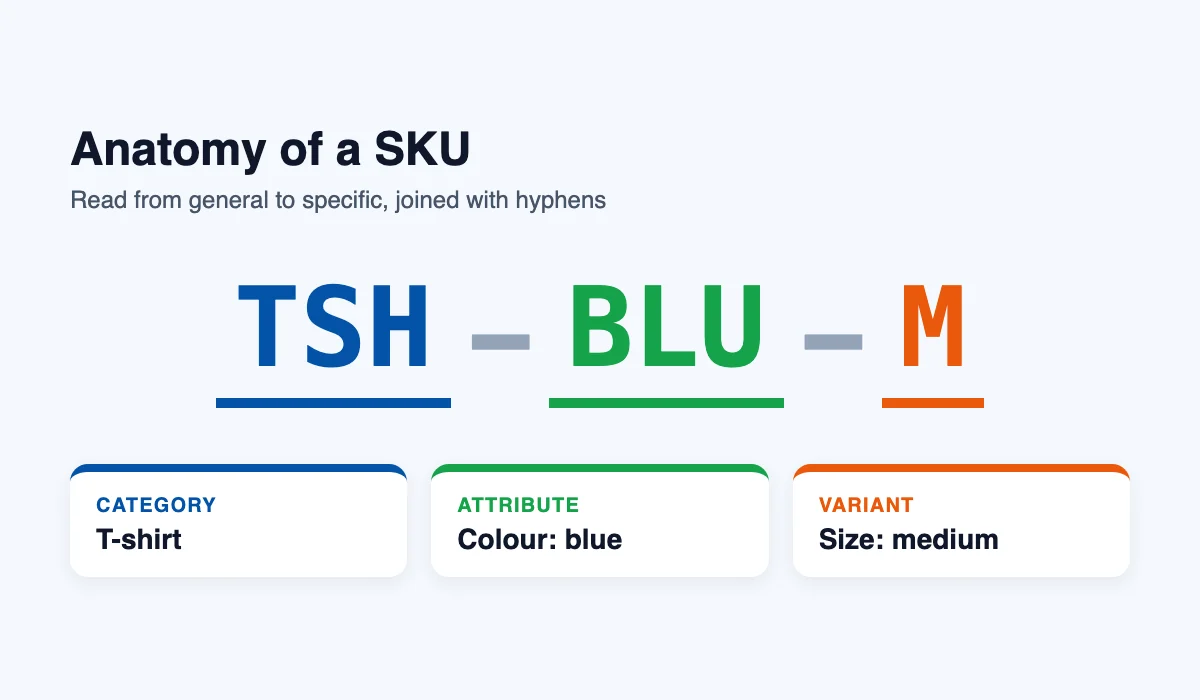
SKU Meaning in Plain Terms
The simplest way to understand the SKU meaning is to think of it as a nickname for each product variant. Customers see product names like “Classic Crew Tee, Blue, Medium”, but staff and systems work faster with a short, consistent code. Instead of reading a long description, a picker can glance at TSH-BLU-M and know exactly which shelf to visit.
Every business decides its own SKU format. Two shops can sell the identical shirt and give it completely different codes. That is normal, because a SKU only needs to be unique inside your own business. It is an internal label, not a global ID.
What Does SKU Stand For?
SKU stands for stock keeping unit. The phrase describes its job well: each SKU is one unit you keep in stock and count. When people search what does SKU stand for, they often expect a technical answer, but the idea is simple. A stock keeping unit is any product variation you want to track on its own, whether that is a colour, a size, a flavour, or a pack quantity.
What Is a SKU Used For?
Once each product has its own code, a lot of everyday work becomes faster and more accurate. Here are the most common uses.
- Counting stock: staff count by SKU, so similar items never get mixed up.
- Reordering: you can see which exact variant is running low, not just “blue shirts”.
- Picking and packing: order lists show SKUs, so the right size and colour goes in the box.
- Sales reports: you learn which variants sell best and which ones sit on the shelf.
- Selling online: marketplaces and online stores match listings to your stock using SKUs.
- Supplier orders: purchase orders list SKUs so suppliers ship exactly what you asked for.
Why SKUs Matter More as Your Business Grows
When a business sells a dozen products, the owner can usually remember every item, its supplier and roughly how many are left. That memory stops working once the range reaches a few hundred variations, or once several employees start receiving deliveries, filling orders and answering customer questions. At that point, descriptive product names become a liability, because two people will describe the same item in slightly different ways, and small differences lead to expensive mistakes.
A consistent SKU removes that ambiguity. Everyone, from the owner to a temporary seasonal worker, refers to the same item with the same code, so purchase orders, shelf labels, sales records and supplier invoices all line up automatically. Understanding what is a SKU, and introducing the habit early, is far easier than renaming thousands of products after the confusion has already spread through your records.
What Does a SKU Look Like? Real Examples
A good SKU reads from general to specific. It usually starts with a short category code, then adds the details that make the item unique. Letters and numbers are both fine, and hyphens make the parts easier to read. Here are SKU examples from four different kinds of business.
| Business | Product | SKU | What each part means |
|---|---|---|---|
| Clothing shop | Crew tee, blue, medium | TSH-BLU-M | T-shirt · Blue · Medium |
| Coffee roaster | House blend, 1 kg, whole bean | COF-HSE-1K-WB | Coffee · House blend · 1 kg · Whole bean |
| Hardware store | Wood screws, 4 x 40 mm, box of 200 | SCR-WD-440-200 | Screws · Wood · 4×40 mm · Box of 200 |
| Pet supplies | Dog food, chicken, 12 kg bag | PET-DOG-CHK-12 | Pet · Dog food · Chicken · 12 kg |
Notice that none of these codes uses spaces, and each one stays under fifteen characters. Short, readable codes are quicker to type, easier to say out loud, and less likely to be copied wrongly.
SKU vs UPC: What Is the Difference?
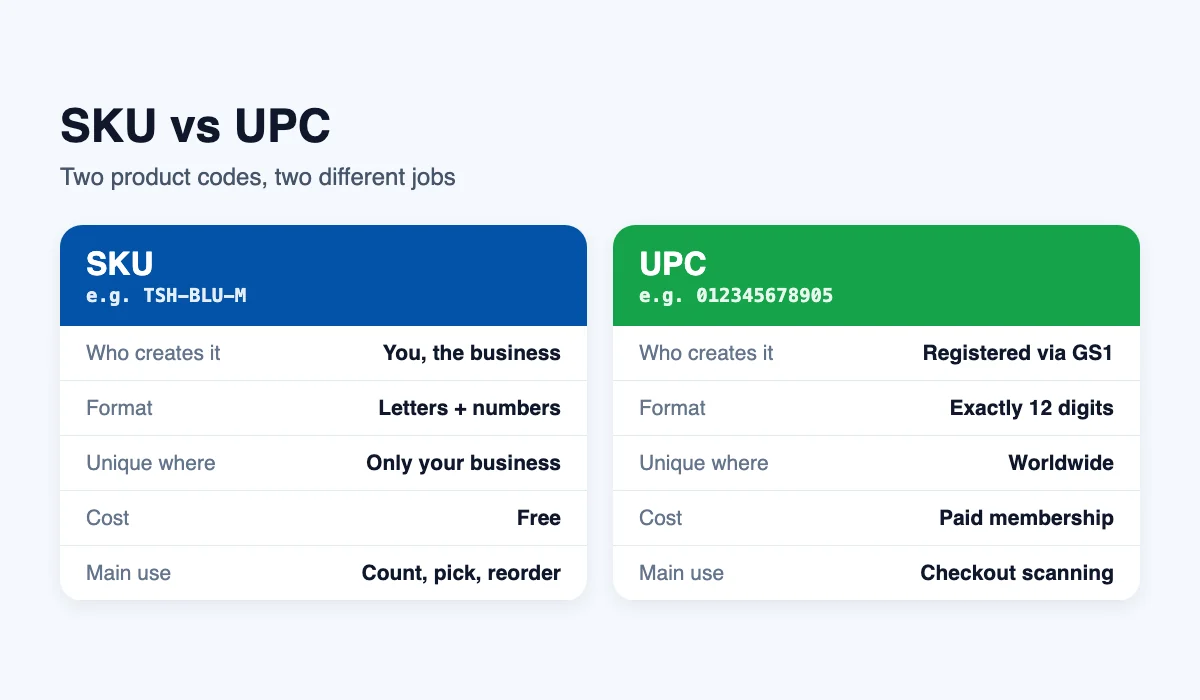
The SKU vs UPC question comes up as soon as a business starts selling through other retailers. Both are product codes, but they serve different purposes. A UPC (Universal Product Code) is a 12-digit number registered through GS1 US and printed as a barcode on the packaging. It identifies the same product in every store in the world. A SKU, by contrast, is your own code and only means something inside your business.
| SKU | UPC | |
|---|---|---|
| Who creates it | You, the business | Registered through GS1 |
| Format | Letters and numbers, any length you choose | Exactly 12 digits |
| Where it is unique | Only inside your business | Worldwide |
| Cost | Free | Paid membership and fees |
| Main use | Counting, picking, reordering, reports | Scanning at checkout in any retailer |
| Same product, two shops | Usually different codes | Always the same number |
Many businesses use both. The UPC sits on the box for the checkout scanner, while the SKU drives your own shelves, reports and reorders. So in the SKU vs UPC comparison, neither one replaces the other; they simply do different jobs.
SKU vs Barcode
A barcode is not a separate kind of code. It is a way of printing a code as lines that a scanner can read. You can print a UPC as a barcode, and you can just as easily print your own SKU as a barcode. Printing SKUs as barcode labels is one of the fastest ways to cut typing mistakes when receiving and counting stock.
How to Create SKU Numbers in 6 Easy Steps
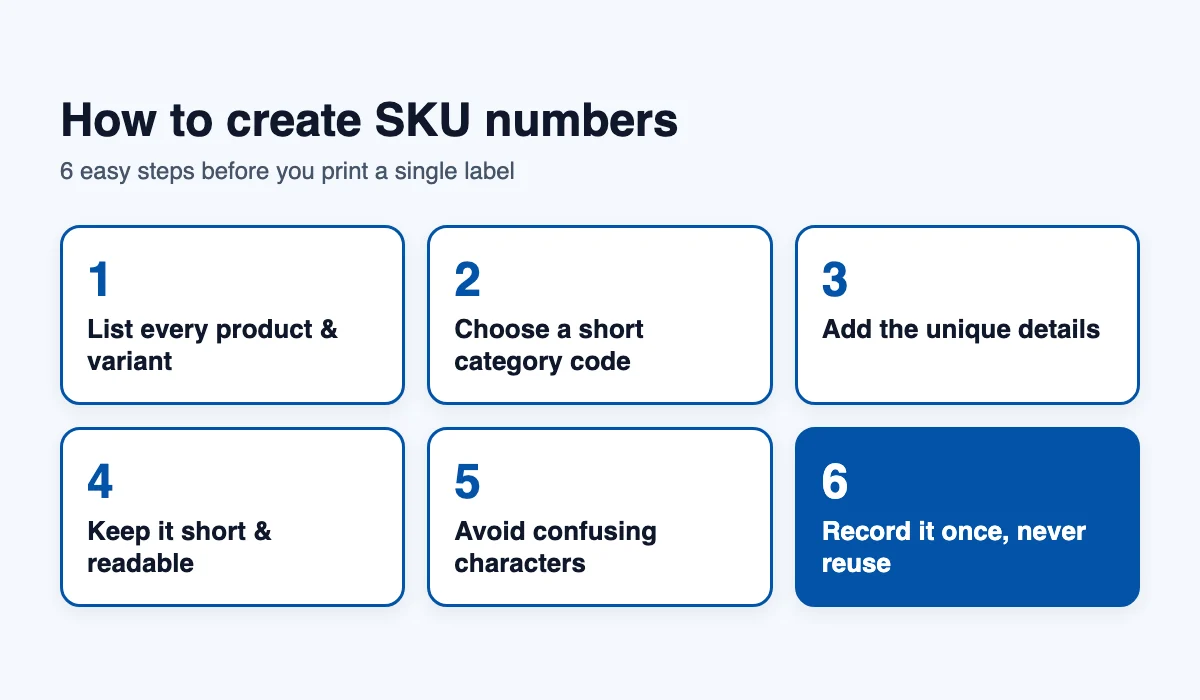
Learning how to create SKU numbers takes an afternoon, and a clear format will save you hours every month. Follow these steps before you label anything.
Step 1: List Every Product and Variant
Write down every product you sell, then list each variation of it: every size, colour, flavour and pack size. Each line on this list will become one SKU.
Step 2: Choose a Short Category Code
Give each product group a two or three letter code, such as TSH for T-shirts or COF for coffee. Keep a written list of these codes so everyone uses the same ones.
Step 3: Add the Details That Make Each Item Unique
After the category, add short codes for the attributes customers choose between, in a fixed order. For clothing that is usually style, colour and size. For food it might be flavour and weight. Always use the same order, so TSH-BLU-M never becomes TSH-M-BLU.
Step 4: Keep It Short and Readable
Aim for 8 to 12 characters. Use capital letters, numbers and hyphens only. Avoid spaces, slashes and special characters, which can break spreadsheets and online stores.
Step 5: Avoid Confusing Characters
Leave out the letter O and the letter I, which look like zero and one. Also avoid starting a SKU with zero, because some spreadsheets quietly drop leading zeros.
Step 6: Record It Once and Never Reuse It
Save each new SKU in your product list the moment you create it. When a product is discontinued, retire its SKU rather than giving it to a new item. Reusing old codes mixes up sales history and confuses anyone looking at past reports.
Good and Bad SKU Examples
| Bad SKU | Problem | Better SKU |
|---|---|---|
| Blue shirt medium | Spaces, too long, not consistent | TSH-BLU-M |
| 0045 | Leading zero, no meaning | MUG-WHT-12 |
| TSH/BLU/M | Slashes can break file names and URLs | TSH-BLU-M |
| TSH-M-BLU and TSH-BLU-L | Attributes in a different order | TSH-BLU-M and TSH-BLU-L |
| 8901234567890 | That is a barcode number, not your own SKU | COF-HSE-1K |
SKUs for Online Stores and Marketplaces
Online sales make SKUs even more important. Platforms such as Shopify, Amazon, eBay and Etsy all ask for a SKU field on each listing, and they use it to connect an order with the correct product variation in your stockroom. When the same product is listed on several channels, using one identical SKU everywhere means every sale, wherever it happens, reduces the same stock figure.
Marketplaces may also ask for a UPC or another global identifier, which brings the SKU vs UPC distinction back into focus. The marketplace uses the UPC to match your listing with its own product catalogue, while your SKU tells your own team which physical item to pick. Keeping both fields accurate prevents duplicate listings, mismatched orders and frustrating customer returns.
How SKUs Connect to Reordering and Reports
A clear SKU becomes far more valuable once you begin analysing sales. Because each variation has its own code, reports can show that medium blue shirts sell three times faster than large green ones, information that would disappear if every colour and size shared a single product name. That level of detail helps you order the right quantities, reduce excess stock, and avoid running out of the variants customers actually want.
Reordering works the same way. When stock of one SKU falls to its minimum level, you can reorder that precise item instead of guessing. Over time, this produces cleaner purchasing decisions, fewer emergency deliveries, and less cash tied up in slow-moving variations.
Common SKU Mistakes to Avoid
- Using the supplier’s code as your SKU: it changes when you switch suppliers, so your history breaks.
- Making codes too long: long codes are slow to type and easy to mistype.
- Packing in too much detail: the price, the date or the supplier name do not belong in a SKU.
- Giving bundles the same SKU as single items: a pack of six needs its own code.
- Letting each person invent their own format: agree the rules once and write them down.
Tips for Labelling Products With SKUs
Creating a sensible code is only half the job; the code also needs to be visible wherever people handle stock. Labels should be placed consistently, printed clearly, and positioned so staff can read or scan them without unpacking boxes or moving heavy items. These practical habits make the difference between codes that help and codes that are ignored.
- Label the shelf and the product: a shelf label shows where an item belongs, while a product label confirms what is actually in your hand.
- Use the same position on every label: put the SKU in the same corner each time so it is found instantly.
- Print large, high-contrast text: dark text on a white background stays readable in dim stockrooms.
- Add the product name underneath: people recognise names faster than codes, especially while they are still learning the system.
- Replace damaged labels immediately: a scuffed or peeling label quickly turns into a counting error.
If you are still deciding how to create SKU numbers for a large range, label one product category first, test the process with your team for a week, and adjust the format before rolling it out everywhere. Small corrections at this stage cost minutes; corrections after thousands of labels are printed cost days.
When to Review or Change Your SKU Format
Most businesses can keep the same SKU format for years, but a few situations justify a review. Adding a completely new product category, merging with another business, or moving to a new sales platform can all expose weaknesses in an older format. If your codes have become inconsistent, overly long or difficult to explain to new employees, it may be worth redesigning them.
When you do change formats, apply the new rules to new products first, and convert existing items gradually, keeping a simple conversion list that maps every old SKU to its replacement. That record protects your sales history and lets you trace older orders, invoices and returns without confusion.
Putting Your SKUs to Work
Once your codes are ready, print them as labels and stick them on shelves, bins and products. Scanning a label instead of typing a code removes most counting mistakes and makes receiving deliveries much faster. If you are setting up your process from scratch, our guide on how to keep track of inventory walks through the rest of the routine.
InventorysHub lets you store a SKU on every item, print barcode labels from it, and scan with a phone camera. Our barcode inventory software turns each SKU into a scannable label in a few clicks, and the barcode inventory system updates stock counts the moment a label is scanned. You can start a free account and add your first products in minutes.
Final Thoughts
So, what is a SKU in one line? It is your own short code for each product variant, and SKU stands for stock keeping unit. Remember the SKU meaning, keep the SKU vs UPC difference in mind, and you will avoid most labelling confusion before it starts.
Knowing how to create SKU numbers well comes down to a few habits: a short category code, attributes in a fixed order, no confusing characters, and no reused codes. Set your format once, write it down, and every new product will fit neatly into your system. Whenever a new colleague asks what does SKU stand for, or simply what is a SKU, hand them that written format along with a few real examples. For more terms like this, browse our inventory terminology glossary, or read the background on stock keeping units.
FAQs
Q. What is a SKU in simple words?
Ans: A SKU is a short code a business creates for each product variant it sells, such as TSH-BLU-M for a blue medium T-shirt. It helps staff count, find and reorder the exact item.
Q. What does SKU stand for?
Ans: SKU stands for stock keeping unit. Each stock keeping unit is one product variation that you track separately, such as a colour, size or pack quantity.
Q. Is a SKU the same as a UPC?
Ans: No. You create your own SKUs for free, and they only need to be unique in your business. A UPC is a 12-digit number registered through GS1 and is the same in every store.
Q. How many characters should a SKU have?
Ans: Between 8 and 12 characters works well for most businesses. Use capital letters, numbers and hyphens, and avoid spaces and special characters.
Q. Can two products share the same SKU?
Ans: No. Every product variant needs its own SKU. If two items share a code, your counts, sales reports and reorders will mix them up.
Q. Do I need software to create SKU numbers?
Ans: No. You can create SKUs in a spreadsheet by following a clear format. Software helps once you have many products, because it stores each SKU and prints scannable labels for you.
For more stock tips and business updates, visit the official InventorysHub LinkedIn page.