Before you start
- Sign in to your account and know your current password.
- Forgot it? Use reset your password from the login page instead.
How to change your InventorysHub password
-
Open My Profile
Click Settings in the left menu, then click My Profile.
-
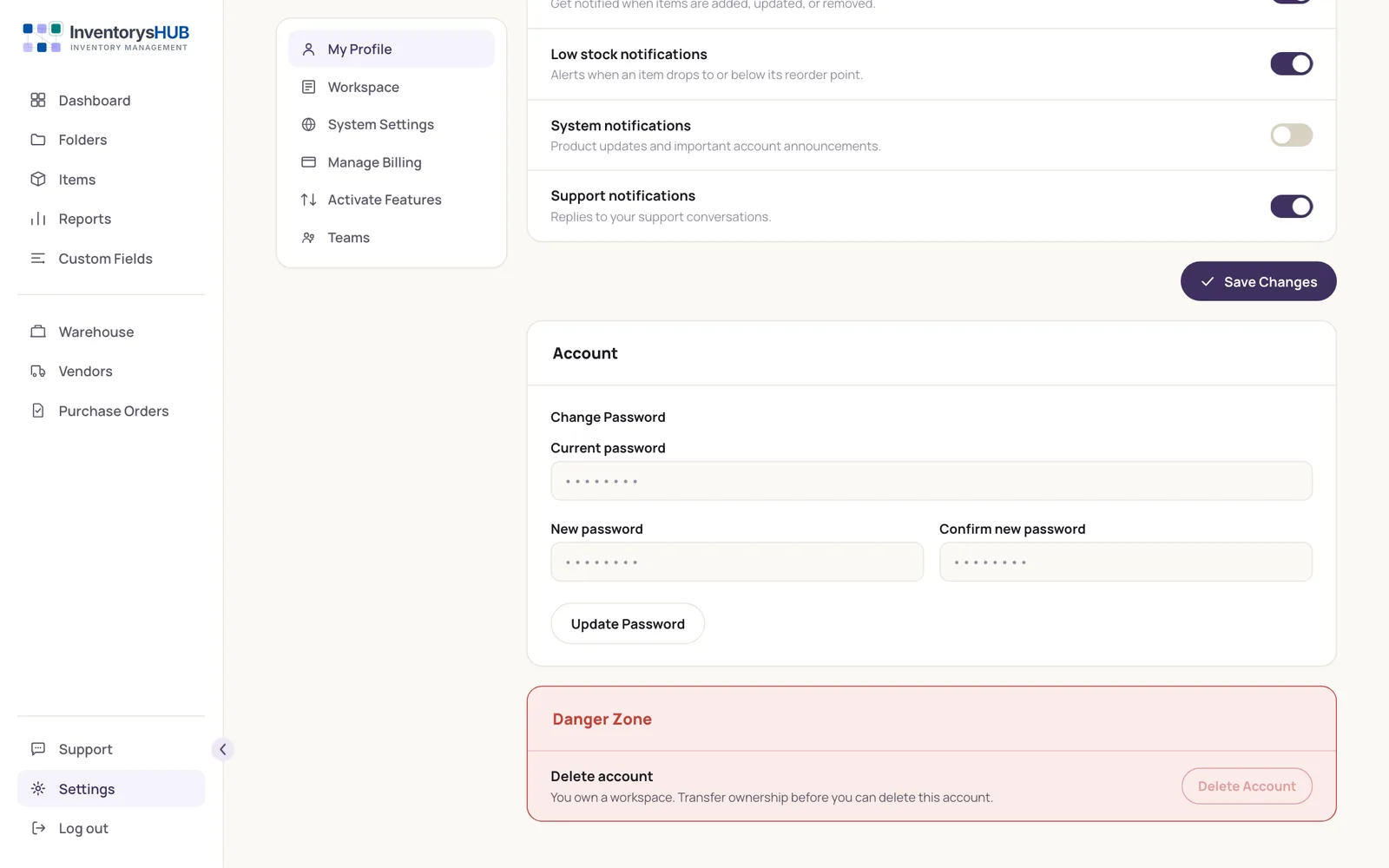
Scroll to Account
Scroll down to the Account section, under Notification Preferences. You will see three boxes: Current password, New password and Confirm new password.
-
Type the old and new passwords
Type your current password first. Then type your new password, and type it again in Confirm new password. If the two new passwords do not match, the page tells you before anything is saved.
Use a password manager to create and remember a long, unique password for you.
-
Click Update Password
Click Update Password. A message confirms the change. Use the new password the next time you sign in on any device.
What makes a strong password
- At least 8 characters, though 12 or more is much better.
- A mix of words, numbers and symbols, or a short phrase of unrelated words.
- Not used on any other website, so a leak elsewhere cannot reach your stock data.
- Not your name, your business name or simple patterns like 12345678.
If something goes wrong
If the page shows that your new passwords do not match, type both boxes again slowly. If it says the current password is wrong, make sure Caps Lock is off and that you are not using an old password from another website. Still stuck after a few tries? Sign out, use Forgot password? on the login page, and set a fresh password from the email link instead.
When to change your InventorysHub password
Change it straight away if you think someone else knows it, if you signed in on a shared computer and forgot to sign out, or if you get an email about a sign-in you did not make. Many teams also change passwords every few months as a habit. Never share your login with a colleague; instead, the owner can invite each person with their own account and role.
To learn how we protect your information, read our privacy policy.
Quick answers
I signed up with Google. Can I change my InventorysHub password?
Google sign-ups do not use a separate password. Keep your Google account secure, and keep using Continue with Google to sign in.
Why does it say my current password is wrong?
Check Caps Lock and try again. If you really do not know it, sign out and use Forgot password? on the login page.
Will my teammates be signed out?
No. Changing your password only affects your own account.