Before you start
- Sign in to your account. Each person edits their own profile.
- Have a square photo ready as a JPG, PNG or WebP file of 2 MB or less, if you want to add one.
How to update your InventorysHub profile
-
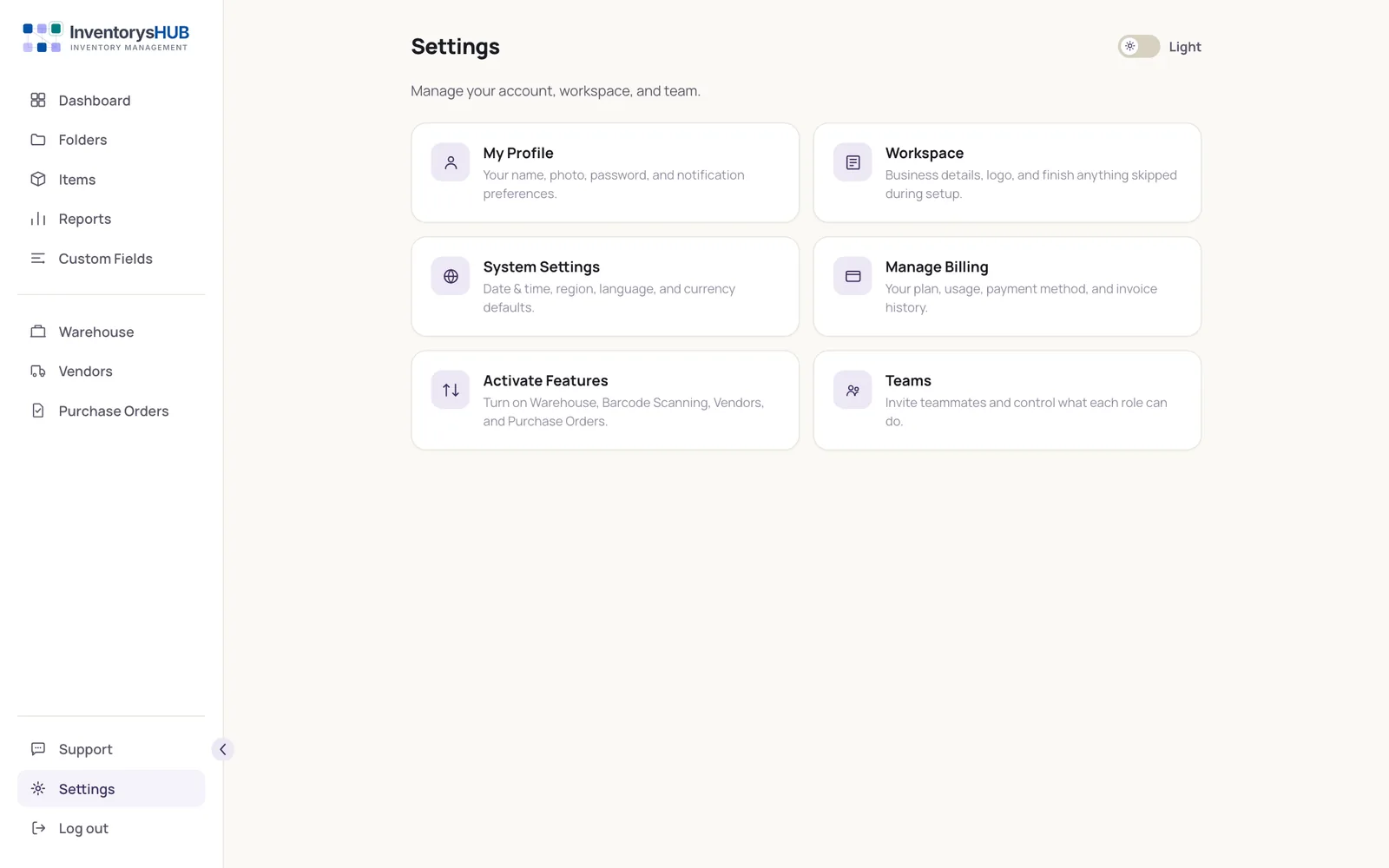
Open My Profile
Click Settings at the bottom of the left menu, then click My Profile. You can also click your initials or photo at the top right of any page.
-
Add or change your photo
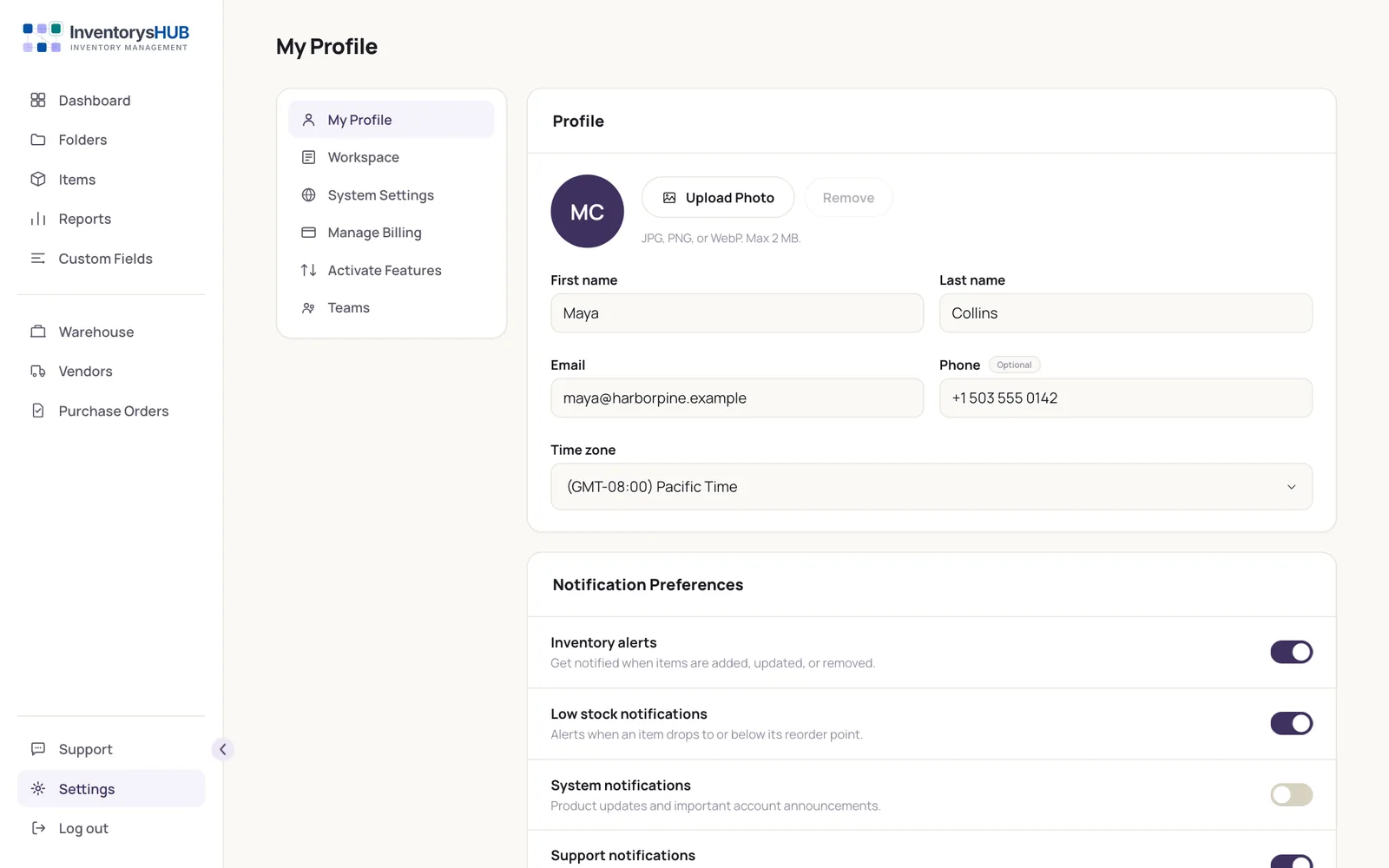
Click Upload Photo and pick an image. It appears at once in the top bar and next to your name in lists. Click Remove to go back to your initials.
-
Edit your details
Update First name, Last name, Email and the optional Phone. Choose your Time zone, so dates and times you see make sense where you live.
If you change your email, use the new address the next time you sign in.
-
Choose your notifications
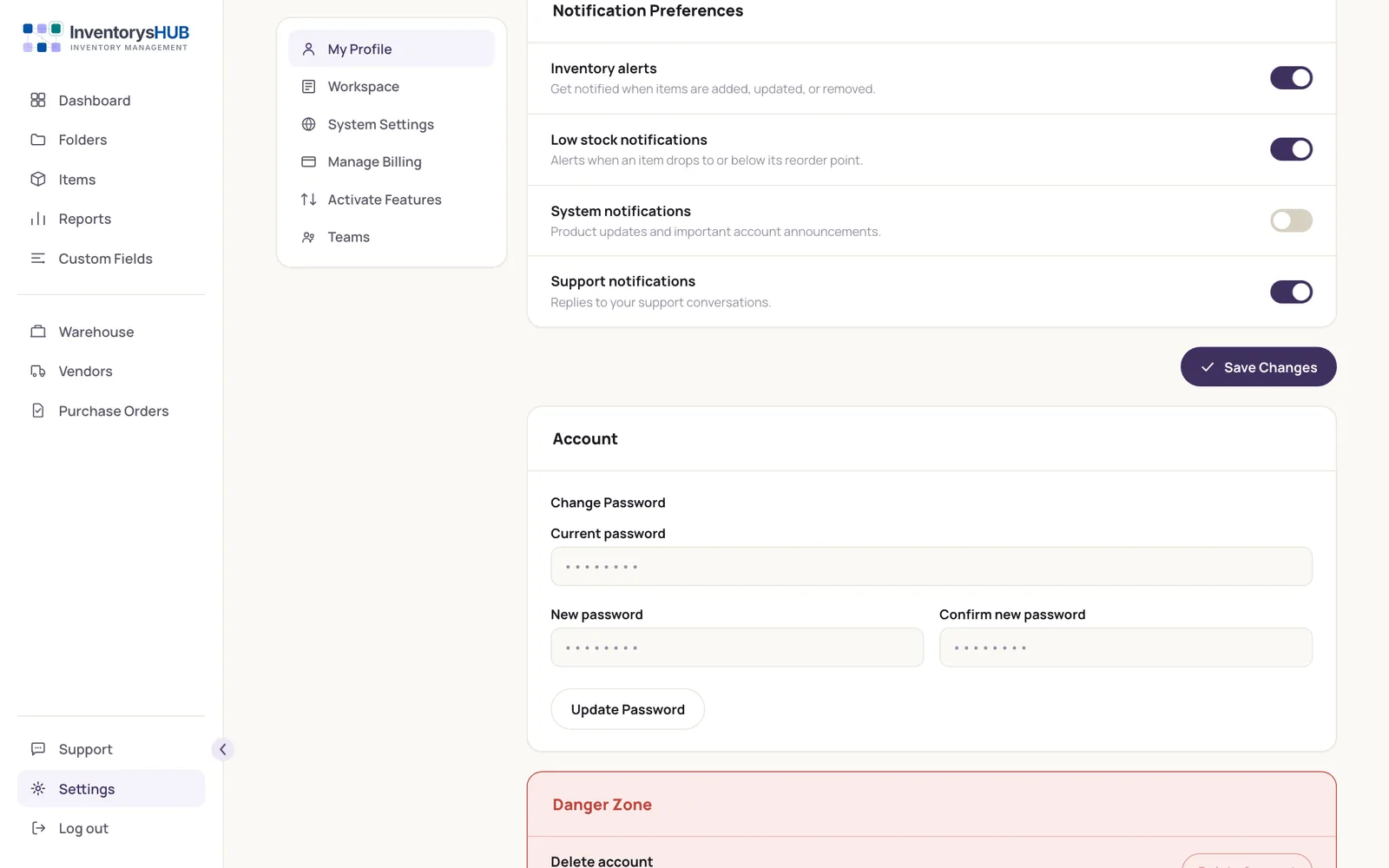
Under Notification Preferences, switch each type on or off:
- Inventory alerts for items that are added, updated or removed.
- Low stock notifications when an item drops to or below its reorder point.
- System notifications for product news and important account messages.
- Support notifications for replies to your support chats.
-
Save your changes
Click Save Changes. A short message confirms the update, and your new details show across the app straight away.
Why it helps to update your InventorysHub profile
A real name and photo make the team list, the stock log and support chats easier to follow, because everyone can see who did what. The right time zone keeps dates in reports and activity lines correct for you. Tuning your alerts means the bell only shows what matters to your job.
Because your account lives online, these settings follow you to any device, which is one of the benefits of our cloud inventory software.
Tips for a tidy team profile
- Use your full name as people know you at work, so a teammate can tell who made a change at a glance.
- Pick a clear, friendly photo of your face rather than a logo, because the whole team already shares the business name.
- Add a phone number if the owner may need to reach you quickly about stock problems.
- Keep only the alerts you will act on, so the bell stays useful instead of noisy.
More settings on the same page
Further down My Profile you will find Account, where you can change your password, and Danger Zone, where you can delete your account.
Quick answers
Can other people update my InventorysHub profile?
No. Only you can edit your profile. The owner can change your role, but not your name, email or photo.
Why is my photo not uploading?
Check that it is a JPG, PNG or WebP file and no larger than 2 MB.
Does my time zone change times for the whole team?
No. Your profile time zone is personal. The workspace has its own default under System Settings.