Before you start
- Sign in to your account, because chat lives inside the app in the left menu.
- Try a quick search of these help guides first, since many answers are only one search away.
How to contact InventorysHub support with live chat
-
Open the Support page
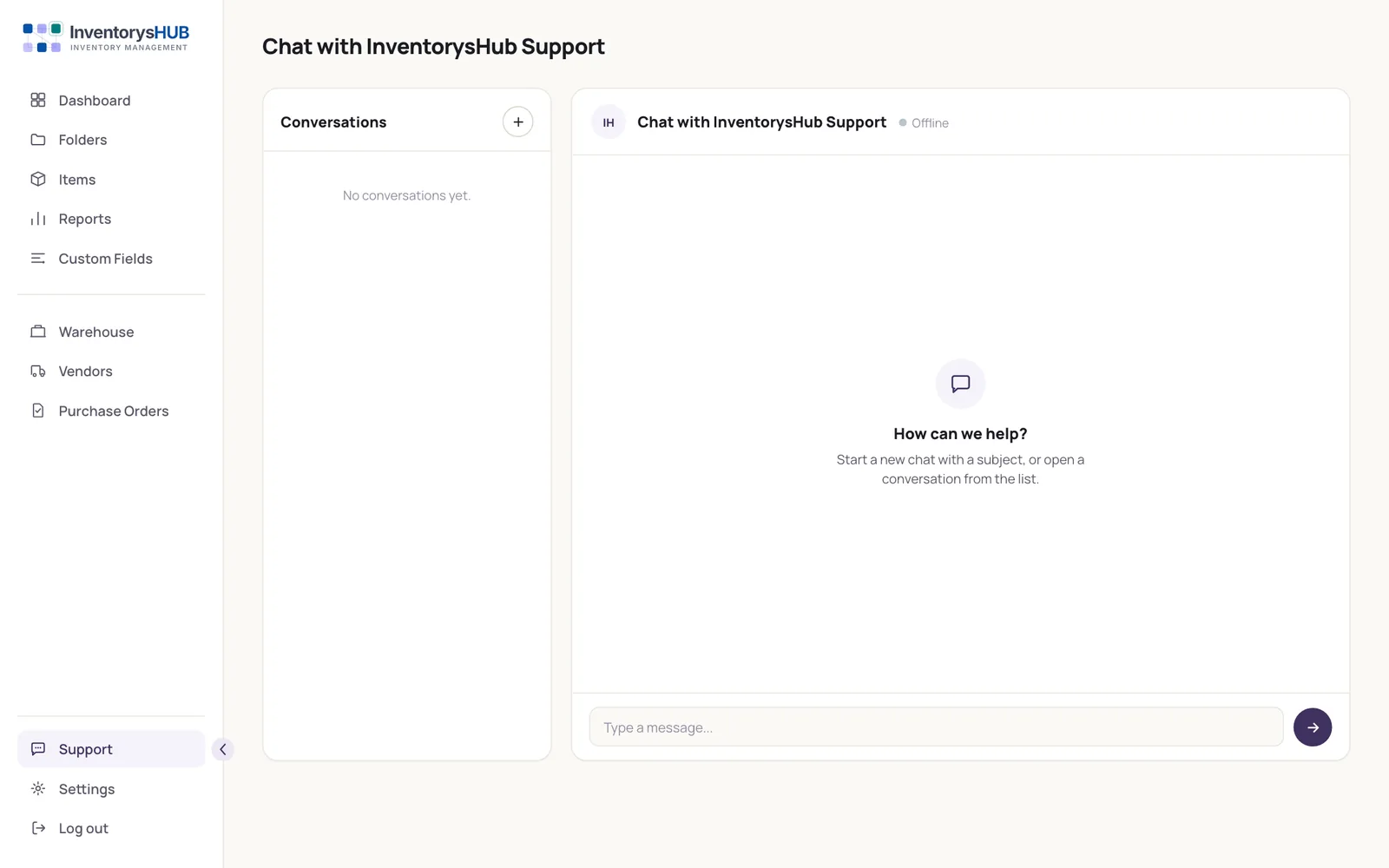
Click Support near the bottom of the left menu. The page Chat with InventorysHub Support opens, with your past chats listed under Conversations. A small dot at the top shows whether our team is online right now.
-
Start a new chat
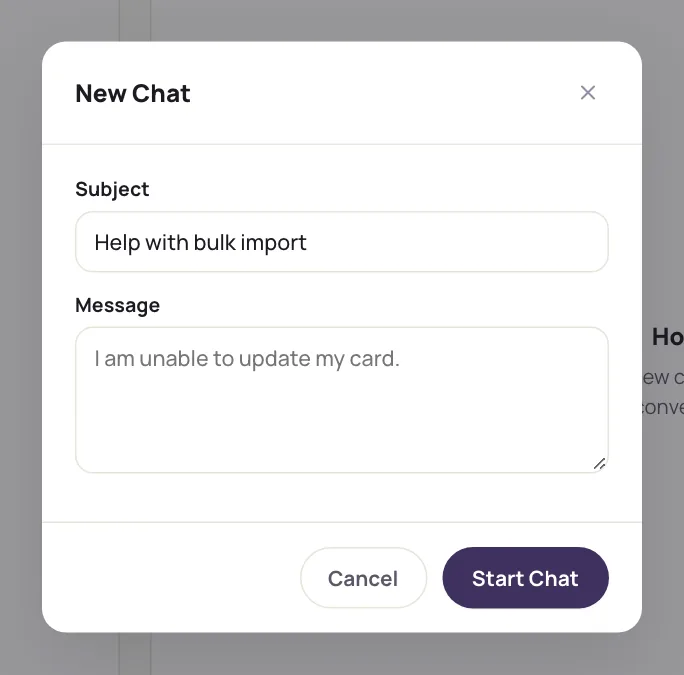
Click the + button next to Conversations to start a new conversation. In the New Chat window, add a short Subject and then describe the problem in Message. Click Start Chat to send it to our team.
-
Keep the conversation going
Type in the box at the bottom of the chat and press the send button to add more details. When we reply, the answer appears in the same chat. If you have scrolled up to read older messages, click Jump to latest to see the newest ones.
Turn on Support notifications in My Profile so you are told when we answer, even if you have moved to another page.
Write a message we can solve quickly
- Say what you were trying to do, and what happened instead.
- Name the page you were on, such as Items or Purchase Orders.
- Add the item name, SKU or purchase order number if it helps us find the problem.
- Copy the exact words of any error message you saw on the screen.
Keeping one topic per chat makes it easier for everyone to follow, so start a new chat when you have a new question.
What our team can help you with
Our support team can help with almost anything inside the app, including setting up folders, importing a spreadsheet, fixing a stock count that looks wrong, inviting your team or understanding a bill. For questions about how to run your stock day to day, our team will also point you to the right help guide, so you can come back to it whenever you need a reminder.
Other ways to contact InventorysHub support
If you cannot sign in at all, use the contact form on our website, or read how to reset your password first. For general questions about plans and features, the InventorysHub FAQ may already have the answer you need.
Quick answers
Can I contact InventorysHub support from the demo?
No. The demo is read-only and does not include chat, so create a free account if you want to talk to our team.
Where can I find an older chat?
Every past chat stays in the Conversations list on the Support page. Click any of them to open the full history.
How fast will I get an answer?
We aim to reply as quickly as we can during working hours, and a clear subject with the steps you tried usually means a faster and more useful answer.
What if nobody is online?
Send your message anyway. It waits in the chat, and we reply as soon as someone from the team is back.