Before you start
- Sign in to your workspace. Everyone on the team can work with items.
- Know the name of the item or items you want back, so you can spot them in the list.
How to restore deleted items in InventorysHub
-
Open Trash
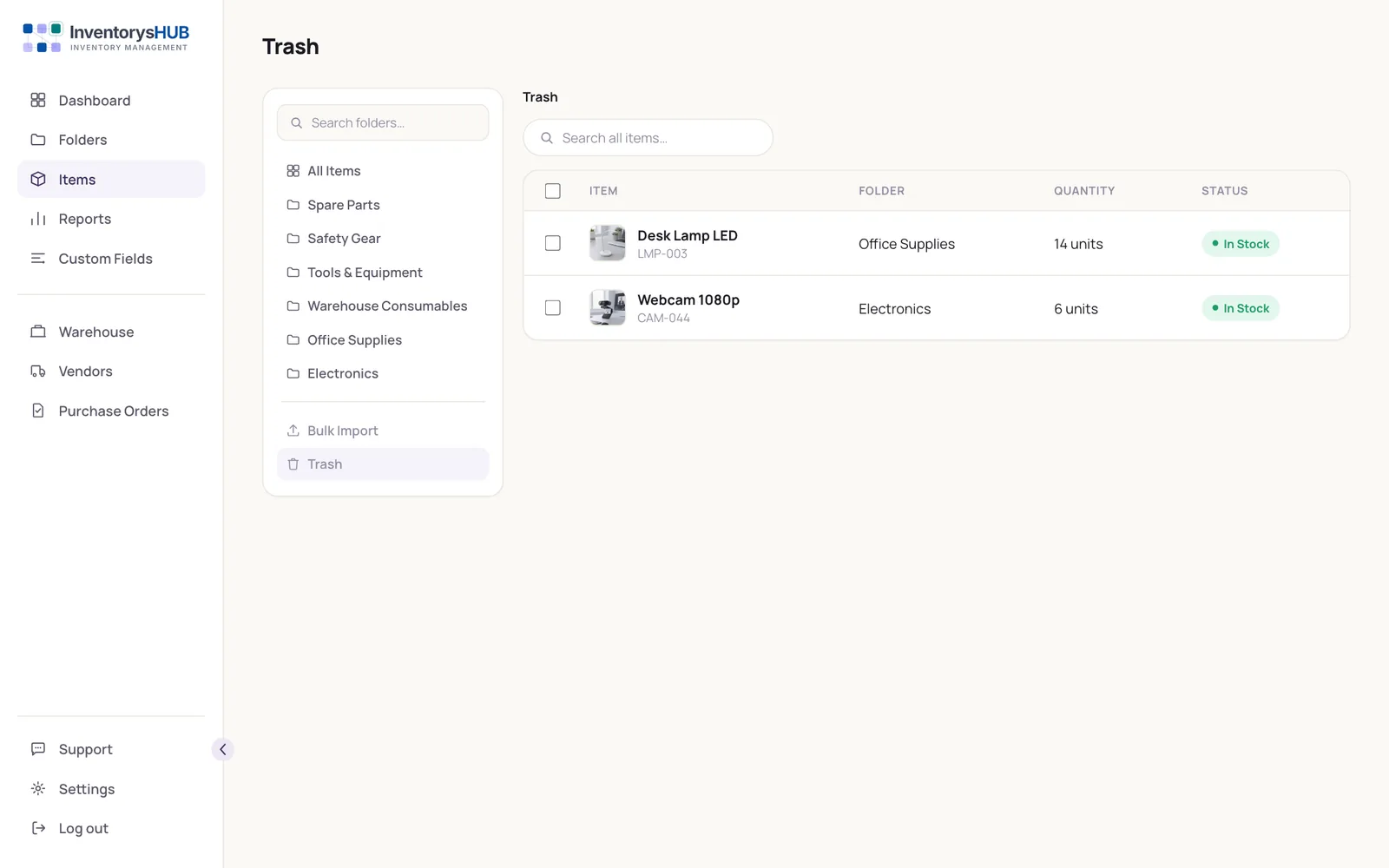
Click Items in the left menu. In the panel on the left, below the folder list, click Trash. Every item you have deleted is listed here with its folder and last known quantity.
-
Select the items
Tick the box next to each item you want to bring back. Use the box at the top of the list to select every item in Trash at once.
-
Click Restore
Click Restore in the bar that appears. The items go back to their folders with the same stock, photos and history they had before. Nothing about the item is lost while it sits in Trash.
If the item’s old folder was deleted too, restore the folder first so the item has somewhere to return to.
Delete items for good
To clear Trash, select the items and click Delete Permanently. This removes them and their history, and it cannot be undone, so be sure first. If you might need a record later, export a report before you delete.
Restore a deleted folder
Folders have their own Trash. Go to Folders, open the folder Trash, and click Restore on the folder card, or Delete permanently to remove it. When you delete a folder, the app asks for a reason, such as “Created by mistake” or “No longer needed”, which helps your team understand what happened. See how to move, clone or delete folders.
Why a Trash step matters
A safe undo step keeps accidents from turning into stock errors. It is one small part of the checks in our inventory control system, which also logs every change so you always know who did what.
Quick answers
How long do deleted items stay in Trash?
They stay until someone restores them or deletes them for good, so you can restore deleted items in InventorysHub even weeks later.
Do items in Trash count toward my plan limit?
No. Only active items count toward your plan’s item limit, so deleting items frees up room straight away, even before you empty Trash.
Who can restore deleted items in InventorysHub?
Anyone on the team can open Trash and restore items, so a teammate can undo a mistake even when the owner is away.
Can I restore many items at once?
Yes. Tick as many as you like, or use the select-all box, and click Restore once.