Before you start
- Reports are part of the Ultimate plan. On other plans, the Reports menu item shows a lock.
- Add items with quantities and unit costs, so value figures are correct.
How to use the InventorysHub reports guide
-
Open Reports
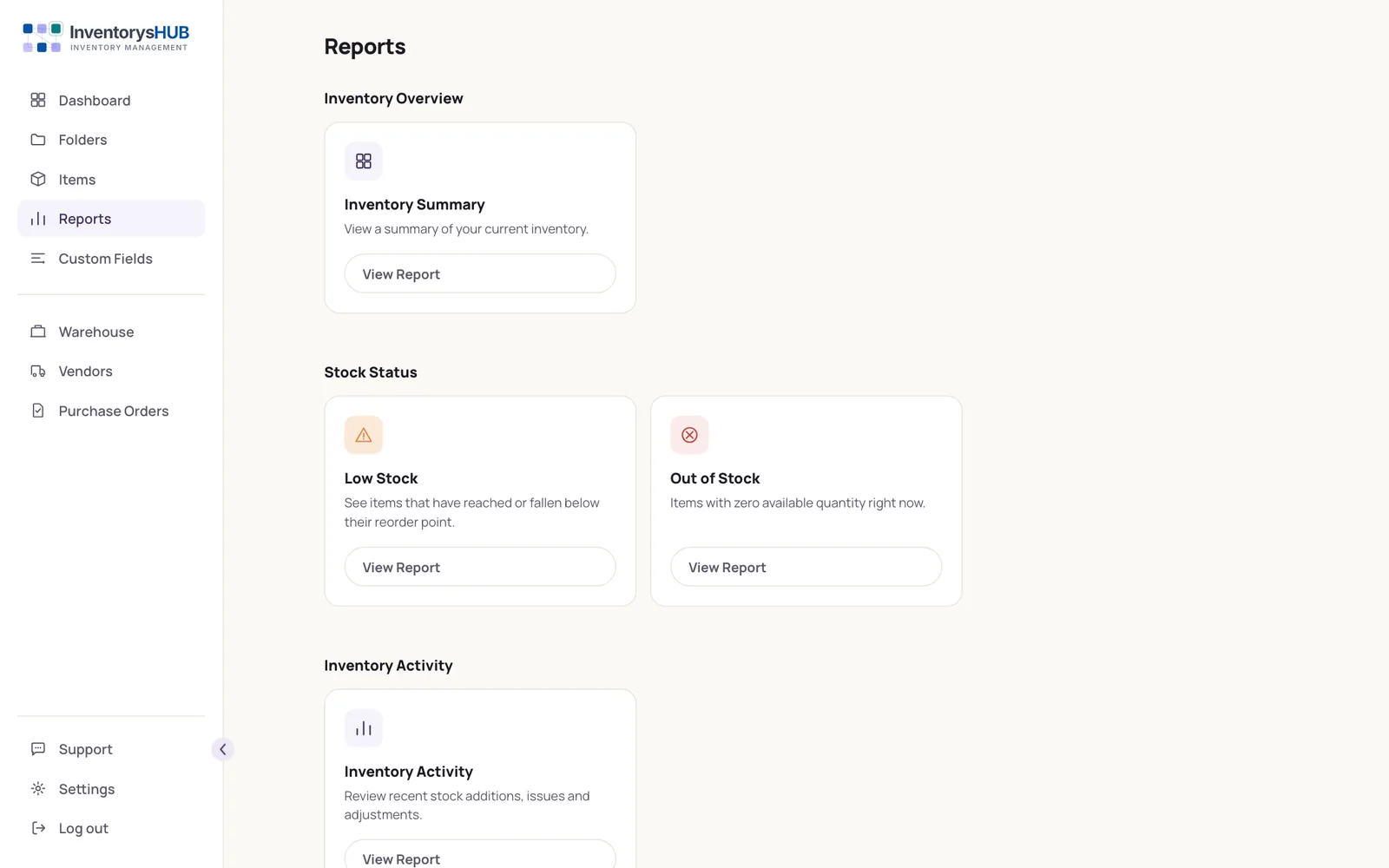
Click Reports in the left menu. Reports are grouped into four sections: Inventory Overview, Stock Status, Inventory Activity and Organization.
-
Click View Report
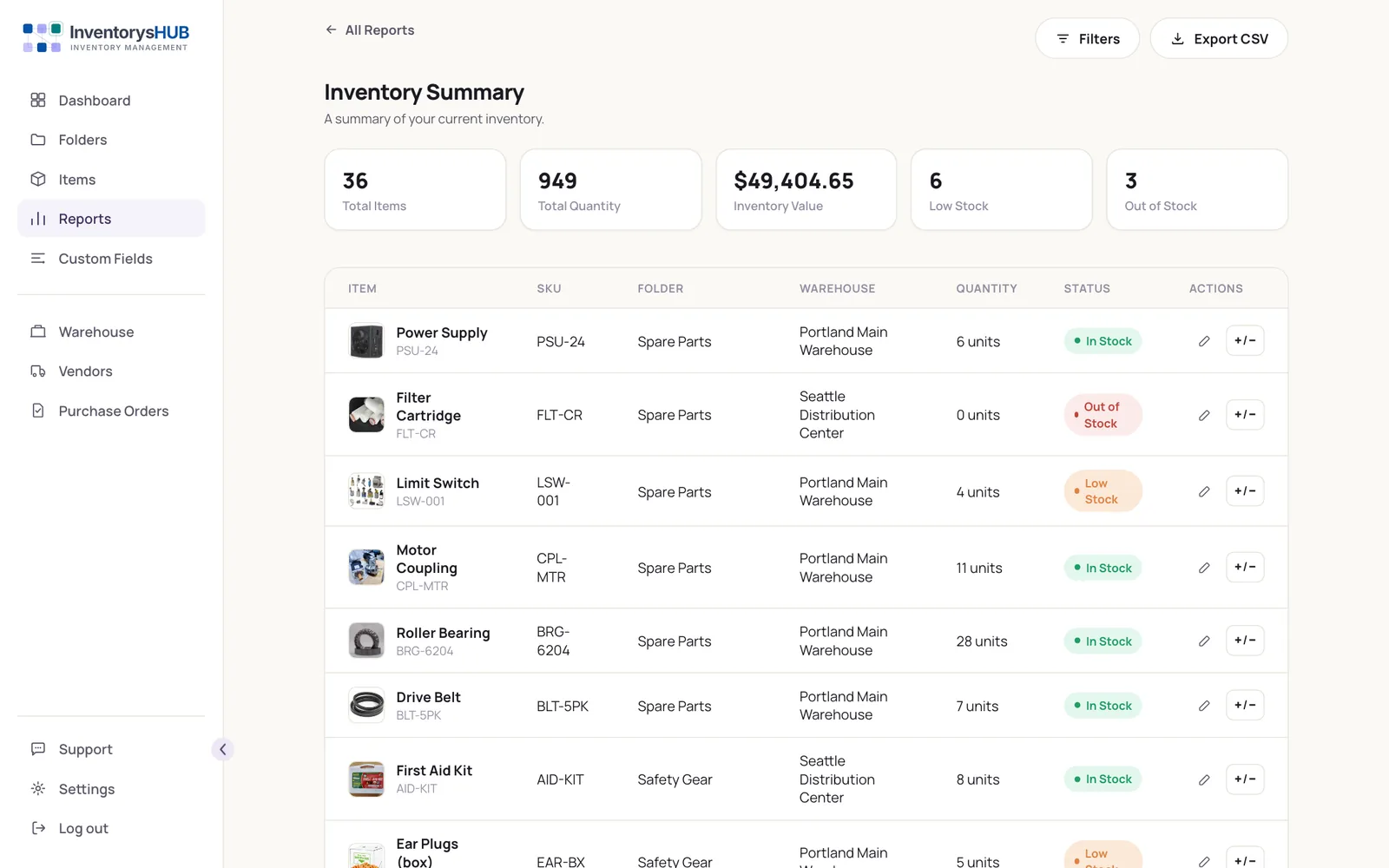
Click View Report on any card. The report opens with a summary strip at the top and a table underneath. Click All Reports at the top to go back.
-
Filter the report
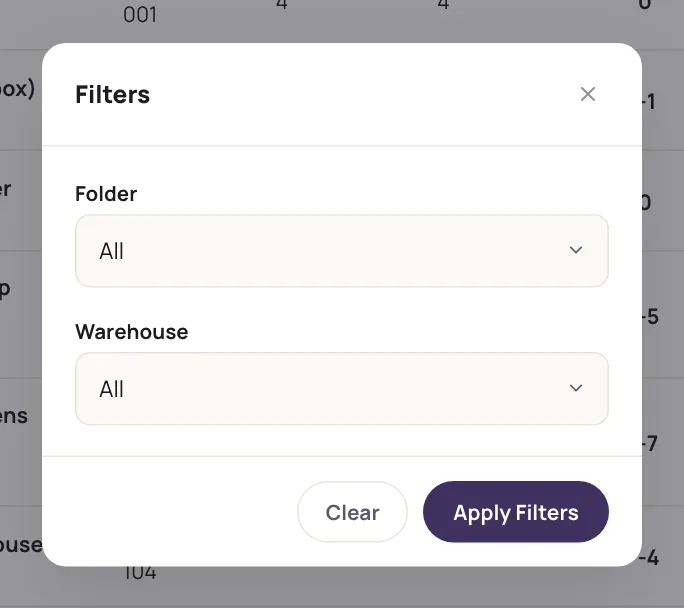
Click Filters, choose a Folder or a Warehouse, and click Apply Filters. Click Clear to see everything again.
The six reports at a glance
| Report | What it shows | Use it to |
|---|---|---|
| Inventory Summary | Every item with quantity, value and status | Check total stock and value |
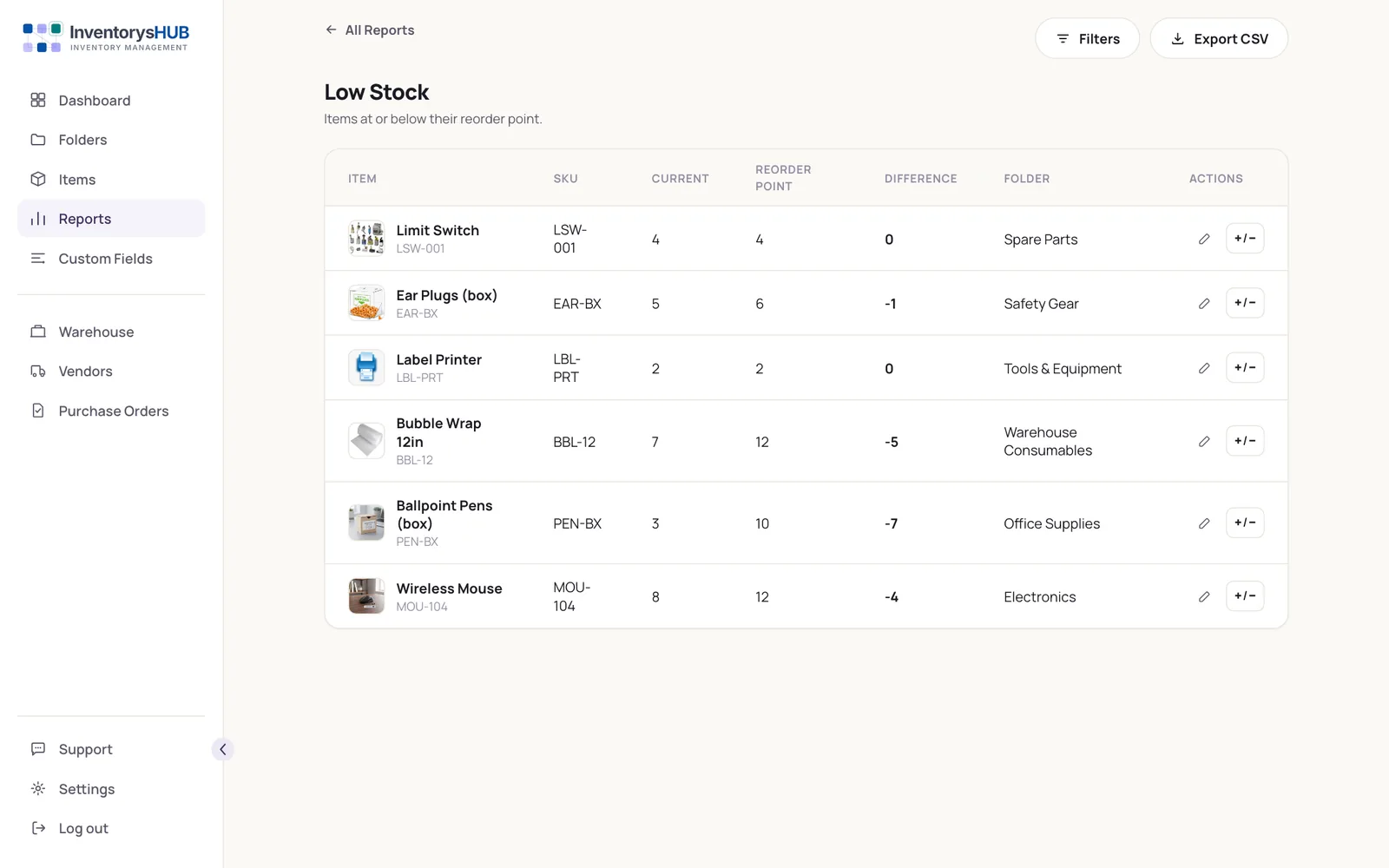
| Low Stock | Items at or below their reorder point | Plan your next order |
| Out of Stock | Items with zero units | Fix gaps fast |
| Inventory Activity | Every addition, issue and adjustment | Explain changes and check your team’s work |
| Items by Folder | Items, units and value per folder | See where your money sits |
| Items by Warehouse | Items, units and value per location | Balance stock between sites |
Items by Warehouse appears once the Warehouse feature is turned on.
Questions the reports can answer
Not sure where to start? Think of a question first, then pick the report. How much is all my stock worth today? Open Inventory Summary. What do I need to buy this week? Open Low Stock. Why did this count drop so much? Open Inventory Activity and look for the item. Which site holds the most stock? Open Items by Warehouse. You do not need any special skills, because each report is a simple list you can read top to bottom.
A simple weekly routine
- Monday: open Low Stock and Out of Stock, then place your orders.
- Mid-week: scan Inventory Activity for odd changes, like large adjustments.
- Month end: export Inventory Summary for your records and your accountant.
Following this InventorysHub reports guide each week takes about fifteen minutes and keeps surprises to a minimum. Good reports also feed better buying decisions, as our page on inventory planning software explains. To check how fast stock moves, try the inventory turnover calculator with your report totals.
Quick answers
Which plan includes reports?
The six reports come with the Ultimate plan. See how to change your plan.
Can I save a report as a file?
Yes. Click Export CSV on any report. Follow how to export a report.
How current is the data in this InventorysHub reports guide?
Reports are built live each time you open them, so they always match your latest stock.