Before you start
- Know the email address you used when you created your account.
- If you signed up with Google, there is no separate password to remember, so simply use Continue with Google.
How to sign in to InventorysHub
-
Open the login page
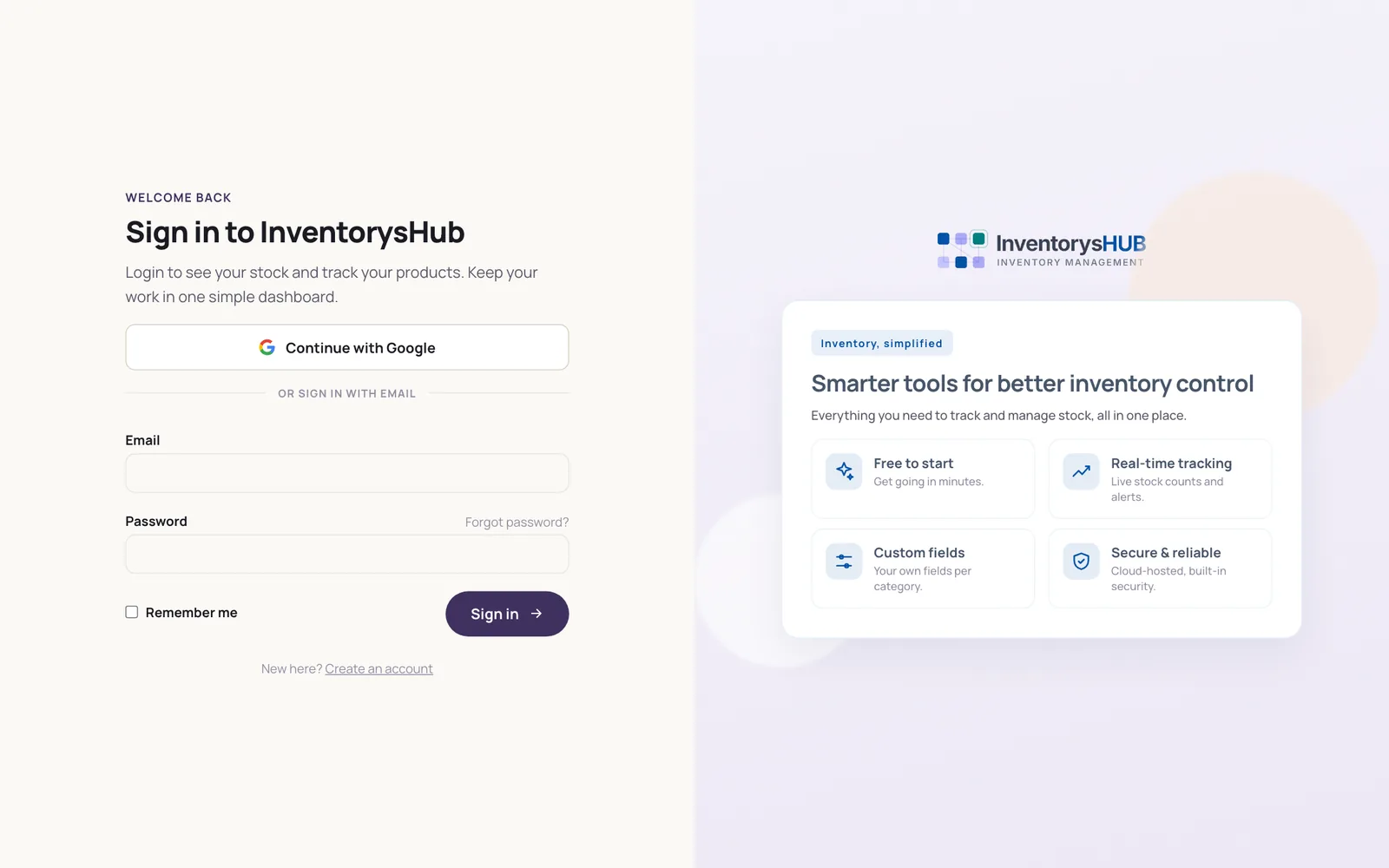
Go to the login page, or click Login at the top of our website. You will see a form with the heading Sign in to InventorysHub and a Google button above it.
-
Type your email and password
Fill in Email and Password, then click Sign in to open your dashboard. Tick Remember me on your own computer so you stay signed in between visits, but leave it unticked on a shared or public computer.
Signed up with Google? Click Continue with Google instead of typing a password, and choose the same Google account you used before.
How to reset your InventorysHub password
- On the login page, click the link Forgot password? under the password box.
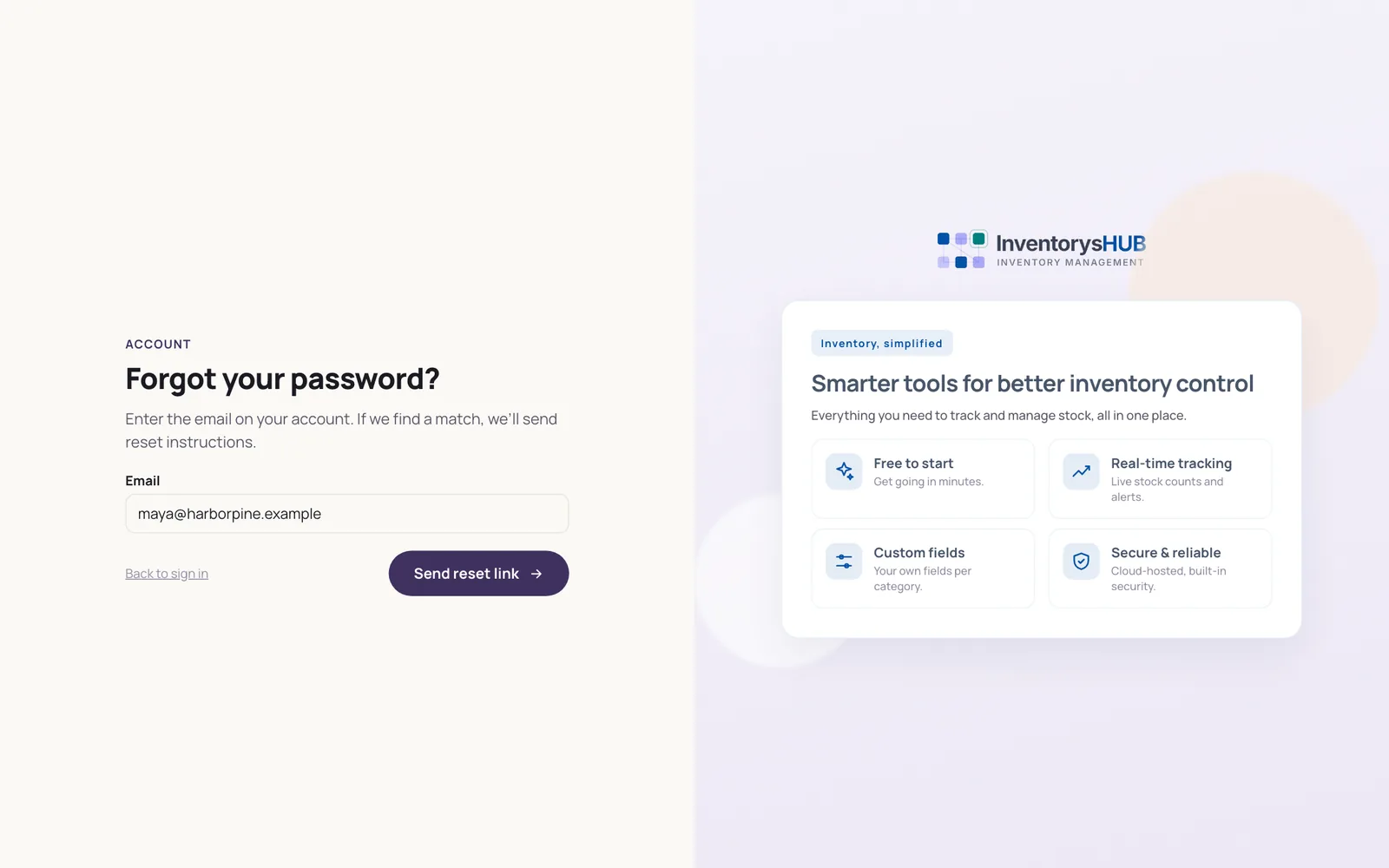
- Type the email address on your account and click Send reset link.
- Open the email from InventorysHub and click the link inside it.
- On Choose a new password, type a new password of at least 8 characters, then type it again in Confirm password.
- Click Update password, and you can sign in with the new password straight away.
For your safety, each reset link only works for a short time. If yours has expired, simply go back and ask for a new one.
If the reset email does not arrive
- Wait two or three minutes, then check your spam, junk or promotions folder.
- Make sure you typed the same email you signed up with. For privacy reasons, the page never says whether an address is on file.
- If you signed up with Google, there is no password to reset, so use Continue with Google instead.
- Still stuck after that? Contact our support team or send us a note through the contact form.
Keep your account safe
Pick a password that you do not use on any other website, and make it longer than the minimum of 8 characters if you can. A short phrase of three or four unrelated words is easy to remember and hard to guess. Never share your password with a teammate, because the owner can invite each person with their own login instead.
Sign in to InventorysHub from any device
Your data lives online, so you can sign in from a laptop, tablet or phone and see exactly the same items and numbers. Learn more about how our cloud inventory software keeps your team in sync. Already signed in and simply want a new password? Follow how to change your password from My Profile instead.
Quick answers
How long does a link to reset your InventorysHub password last?
It works for a short time only. If it has expired, go back to Forgot password? and send yourself a fresh link.
Can I sign out of every device at once?
Click Log out on each device you used. Changing your password from My Profile is another good way to keep your account safe.
Why does the app say my password is wrong?
Check that Caps Lock is off and that you are using the right email. If it still fails, reset your InventorysHub password with the steps above.