Before you start
- Sign in to your workspace. Everyone on the team can create and arrange folders.
- Sketch your main groups first. Four to eight top-level folders suit most teams.
- The free plan allows up to 3 folders, while paid plans have no folder limit.
How to create folders in InventorysHub
-
Open the Folders page
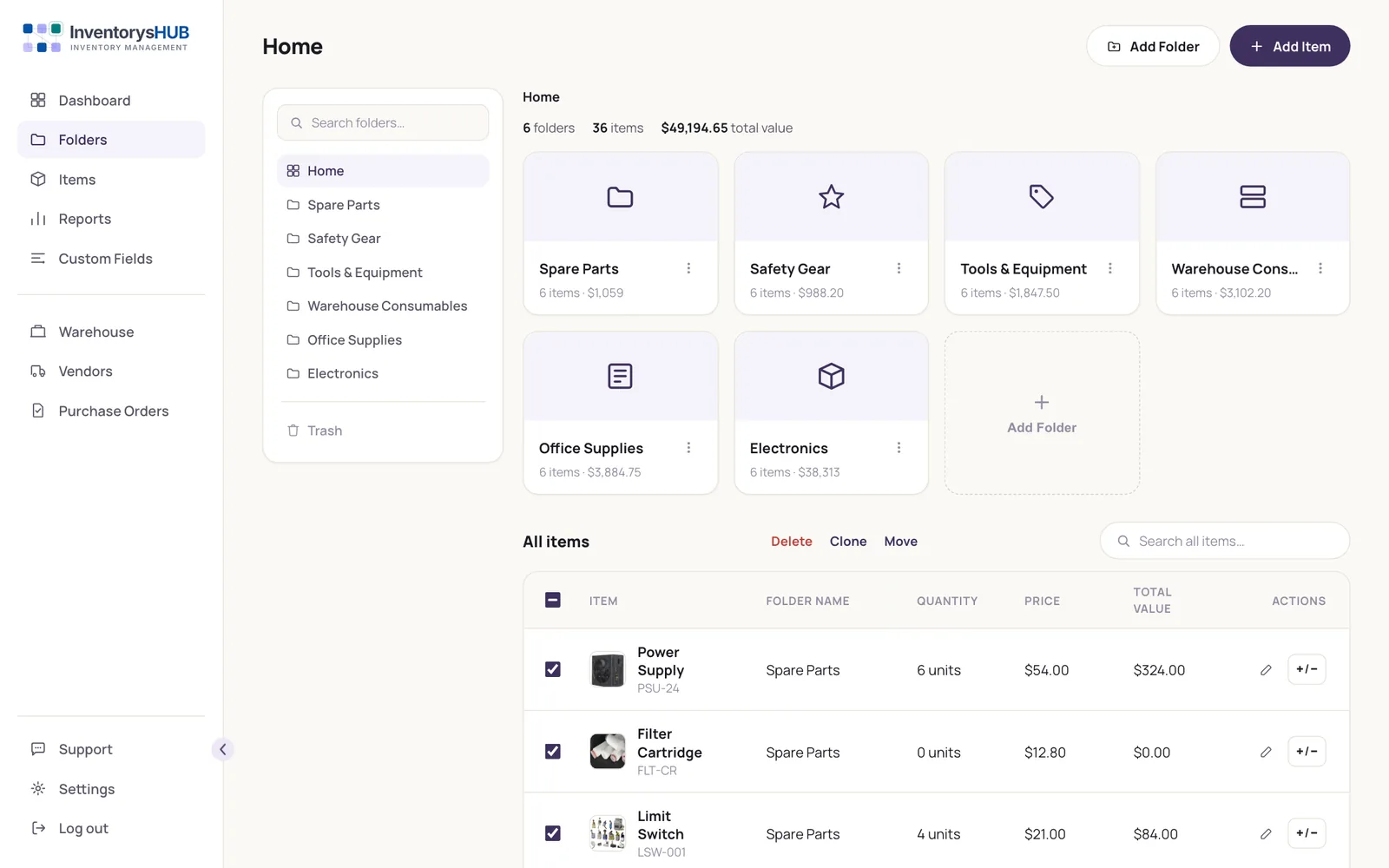
Click Folders in the left menu. You land on Home, the top level of your workspace, where each folder shows as a card with its item count and total value. The list of all items sits underneath.
-
Click Add Folder
Click Add Folder at the top right, or the empty Add Folder tile after your last card. A small window opens.
-
Name the folder and pick an icon
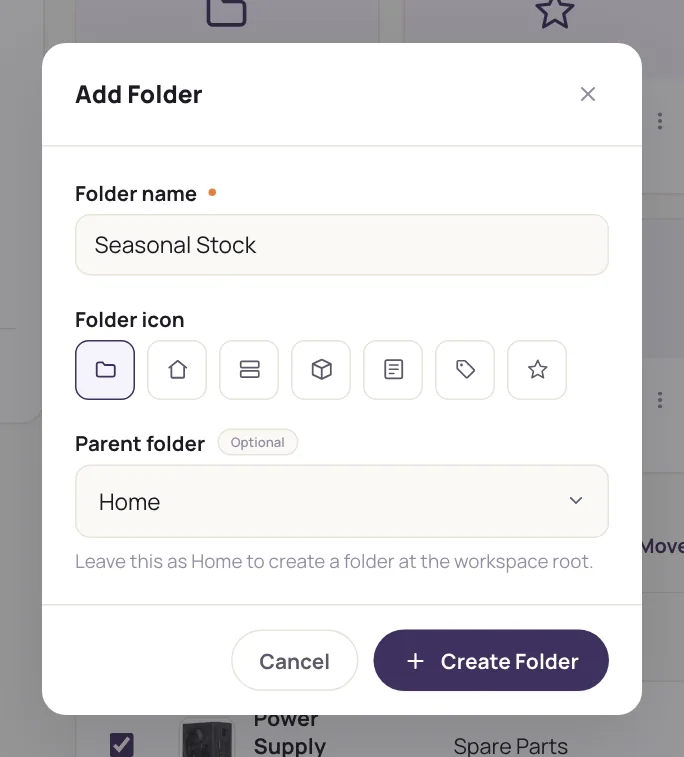
Type a Folder name, such as “Seasonal Stock”. Choose a Folder icon so the folder is easy to spot. Leave Parent folder as Home to create a top-level folder, or pick another folder to place this one inside it. Click Create Folder.
-
Add items to the folder
Open the new folder and click Add Item, and the folder is filled in for you. To file items you already have, use Move to Folder on an item, or select many items and use bulk actions.
Inside a folder, the button reads Create Subfolder, which is the quickest way to build a folder within a folder.
Ideas for a simple folder layout
| Business | Top-level folders |
|---|---|
| Wholesale | Electronics, Office Supplies, Safety Gear, Spare Parts |
| Retail shop | Front of store, Back room, Returns |
| Workshop | Tools, Parts, Consumables |
| Office | IT equipment, Stationery, Kitchen |
Keep folders about what an item is. Use warehouses for where it is, so one item never needs two folders.
Why it helps to create folders in InventorysHub
Folders make big lists feel small. Each folder card shows how many items it holds and what they are worth, so you can see at a glance where your money sits. Reports can also be filtered by folder, which helps when one team looks after one group of stock. This kind of clear structure is at the heart of our stock management software.
Next, learn how to move, clone or delete folders as your needs change.
Quick answers
How many levels of folders can I create in InventorysHub?
You can place folders inside folders as deep as you need, but two or three levels are usually enough to stay easy to browse.
Can I rename a folder later?
Yes. Open the folder card menu, choose Edit, change the name or icon and save.
Can one item be in two folders?
No. Each item lives in one folder. Use warehouses or custom fields if you need to record more than one grouping.