Before you start
- Turn on Warehouse in Settings, under Activate Features, so the Warehouse menu appears.
- Check your plan: Free and Starter include 1 warehouse, Advanced includes 5 and Ultimate includes 20.
- Pick a short code for each site, like PDX-01, so labels and reports stay tidy.
How to add a warehouse in InventorysHub
-
Open the Warehouse page
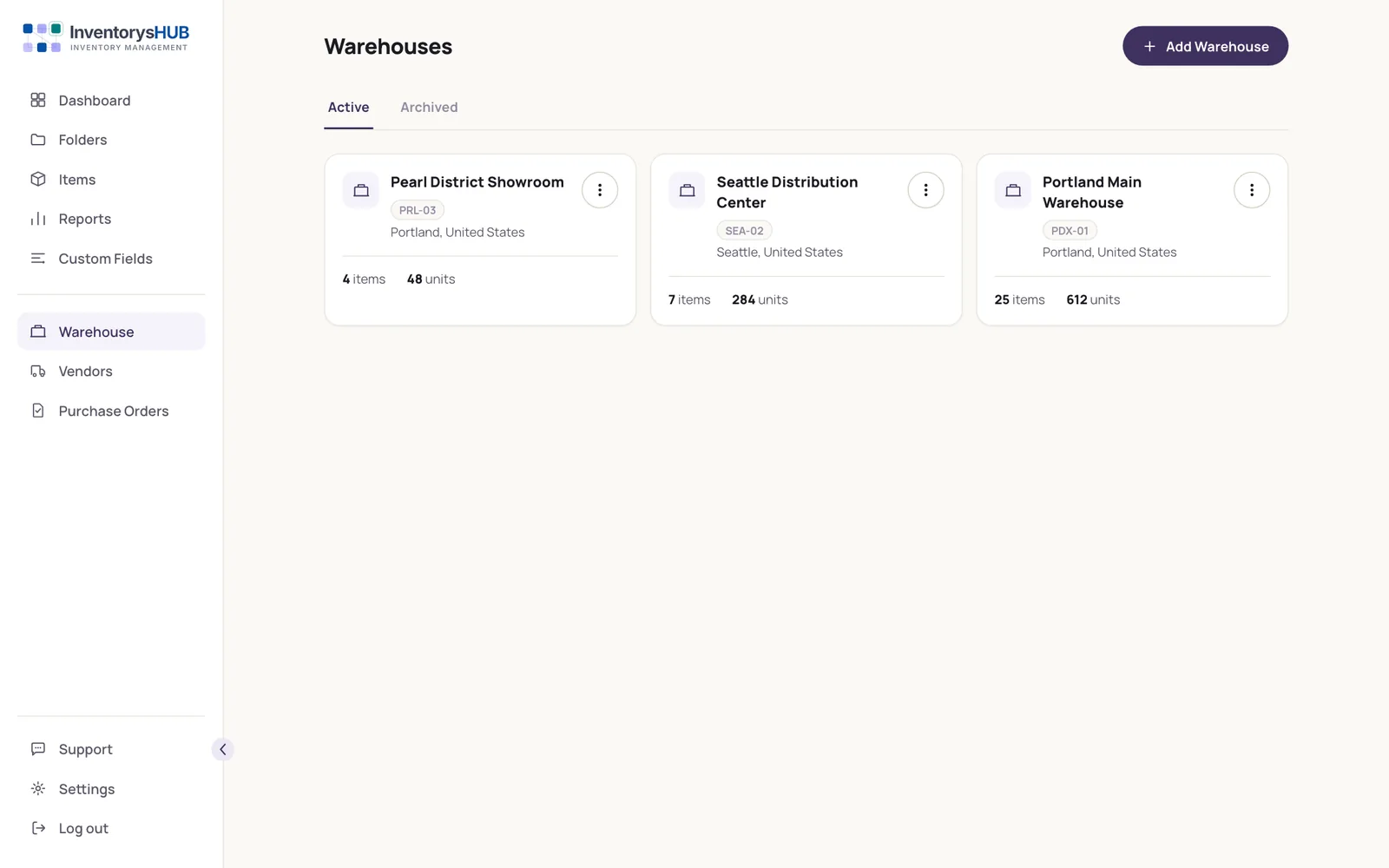
Click Warehouse in the left menu. Your locations appear as cards on the Active tab, each showing its code, city, number of items and total units.
-
Click Add Warehouse
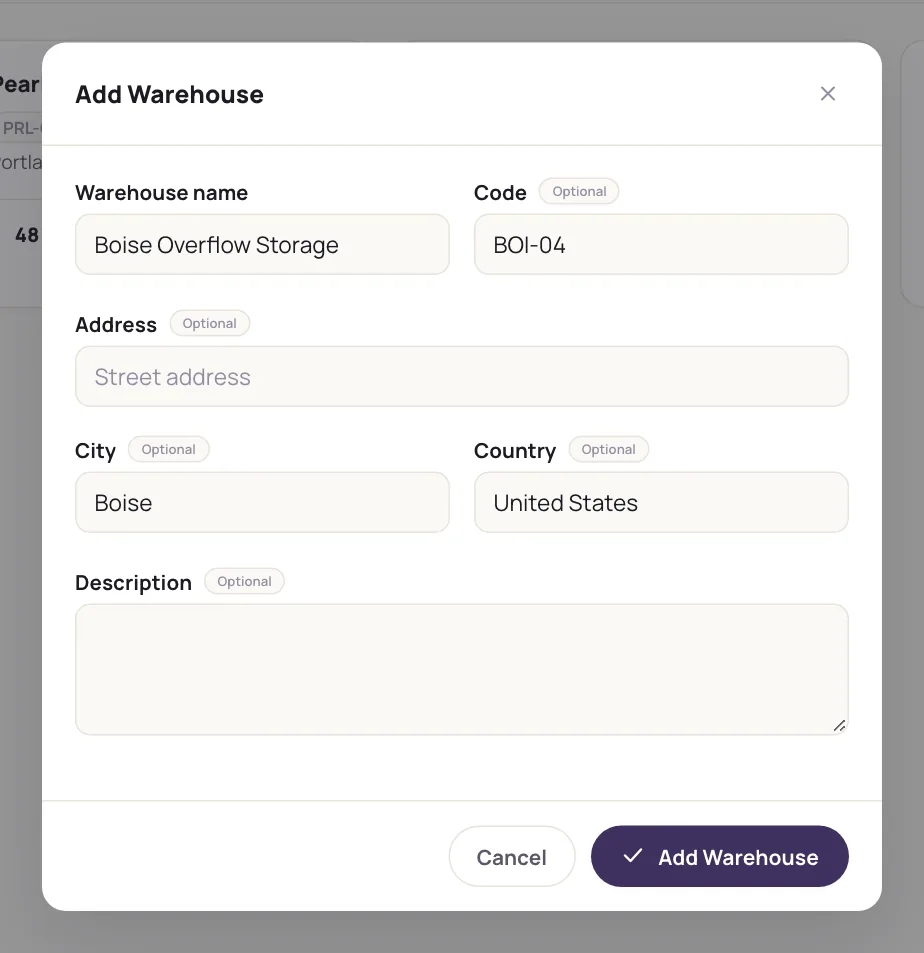
Click Add Warehouse at the top right. Type a Warehouse name, such as “Boise Overflow Storage”, and a short Code. The Address, City, Country and Description fields are optional but help new staff find the place.
-
Save the warehouse
Click Add Warehouse in the window. The new card appears straight away, and the location is now ready to choose on any item form.
A “warehouse” can be any place you keep stock: a back room, a van, a shop floor or a storage unit.
Edit or archive a warehouse
Click the ⋮ button on a warehouse card and choose Edit to change its details, or Archive to retire it. Archived locations move to the Archived tab and can be brought back with Unarchive. Archive a location only after you have moved its items somewhere else, so no stock is left at a site you no longer use.
Put items in your new warehouse
Once you add a warehouse in InventorysHub, choose it in the Warehouse field when you add or edit an item. The item page then shows the location, its code and the item count. Our guide on how to assign items to a warehouse covers this in detail, including moving stock between sites.
See stock by location
The Items by Warehouse report shows how many items and units each site holds and what they are worth. It is a quick way to spot a location that is overstocked or running low. Learn more about running several sites in our guides to warehouse inventory management and multi-location inventory management.
Quick answers
Why can I not add a warehouse in InventorysHub?
Make sure the Warehouse feature is turned on, and check that you have not reached your plan’s warehouse limit. Archived warehouses do not use up a slot.
Do I need a code for every warehouse?
No, the code is optional. It is handy for short labels and reports, though, so most teams add one.
Can I delete a warehouse?
Warehouses are archived rather than deleted, which keeps your history correct. You can unarchive them at any time.