Before you start
- Sign in as the workspace owner. Only the owner can cancel.
- Export any reports you want to keep. See how to export a report.
- Thinking of cost? A smaller plan may suit you better. See how to change your plan.
How to cancel your InventorysHub subscription
-
Open Manage Billing
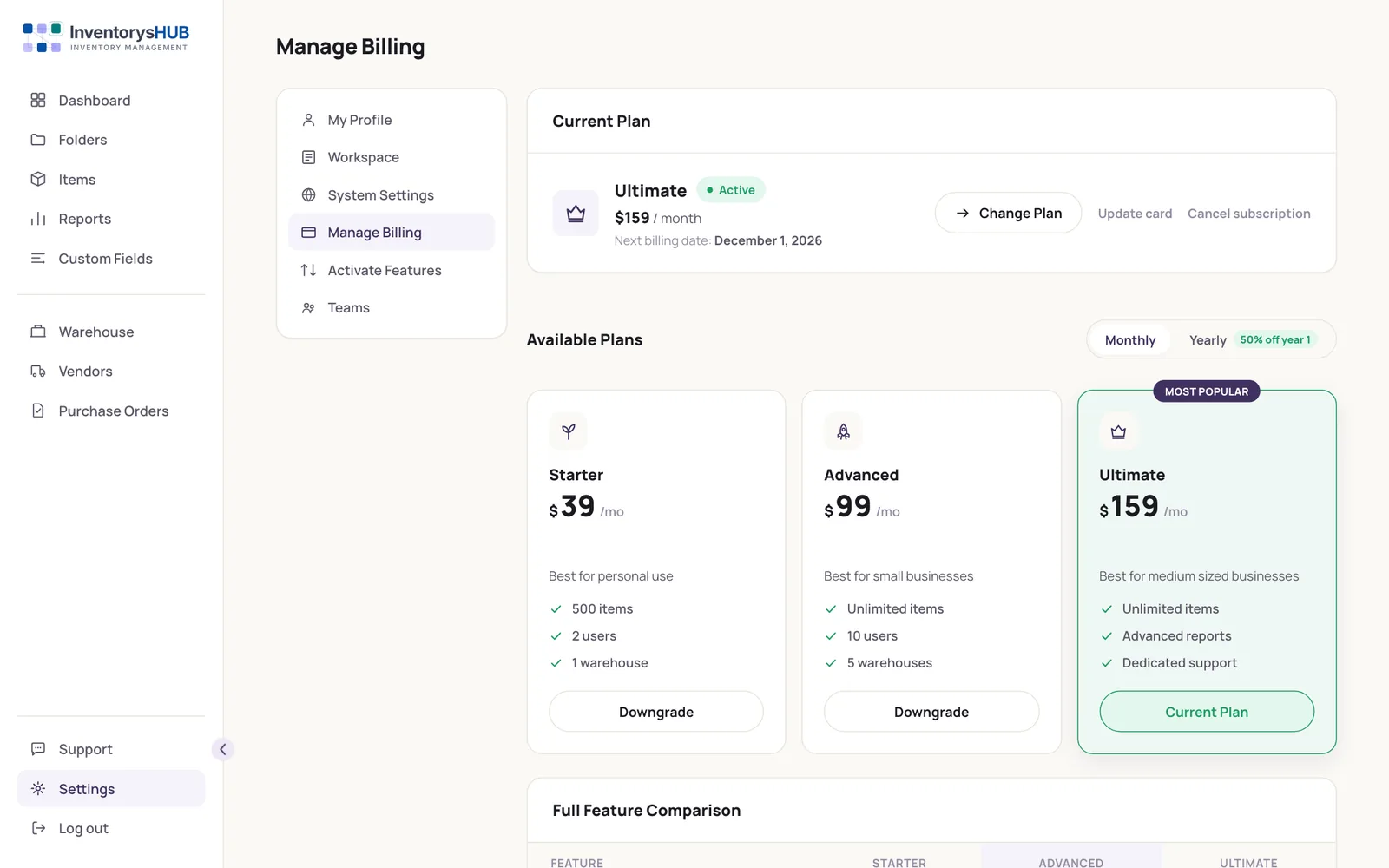
Click Settings, then Manage Billing. The Current Plan card shows a Cancel subscription button next to Update card.
-
Click Cancel subscription
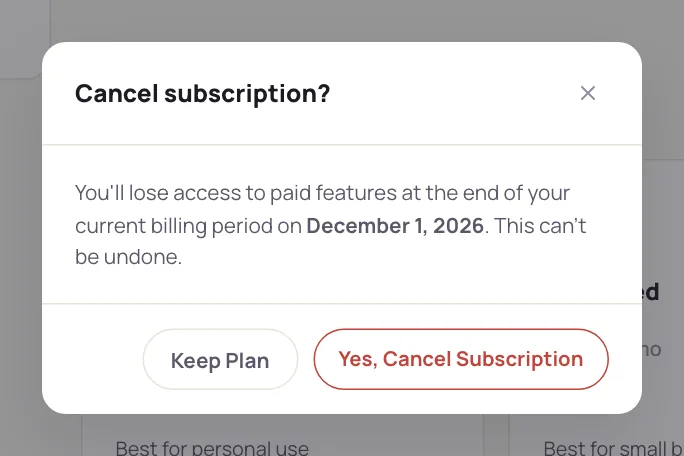
A window asks Cancel subscription? It shows the exact date your paid features end, which is the last day of your current billing period.
-
Confirm or keep your plan
Click Yes, Cancel Subscription to confirm, or Keep Plan if you change your mind. Once confirmed, you will not be charged again.
Cancelling cannot be undone from the same window. If you want the plan again later, simply choose a plan once more.
What happens after you cancel
- Until the end date: everything works as normal, so you can finish the month.
- After the end date: your workspace moves to the free plan, and paid features such as reports, custom fields, barcodes and extra warehouses are locked.
- Your data: items, folders and history stay in place, so you can pick up again later.
- Invoices: past invoices stay in Billing History.
The free plan has its own limits, so read about our free inventory management software to see what stays open.
Before you cancel your InventorysHub subscription
If something is not working for you, tell us first. Our team may be able to fix the problem, or suggest a smaller plan that costs less. Start a chat from Support in the app, or read how to contact support.
Leaving for good
If you also want to remove your login, cancel first and then follow how to delete your account. Workspace owners need to contact support to close the workspace, because the owner account cannot be deleted while it still owns one.
Quick answers
Do I get a refund when I cancel your InventorysHub subscription?
You keep paid features until the end of the period you have already paid for, and you are not charged again after that.
Can I come back after cancelling?
Yes. Choose a plan again at any time, and your items and history will still be there.
Why can I not see the Cancel button?
Only the owner can cancel. If your plan was set up by our team, contact support to change it.
Can someone else cancel for me?
Only the workspace owner can cancel. If the owner has left the business, contact support so we can help you sort out the workspace safely.