Before you start
- Sign in to your workspace.
- Check your plan. Barcodes need Advanced or Ultimate, and you get more warehouses on higher plans.
How to turn on features in InventorysHub
-
Open Activate Features
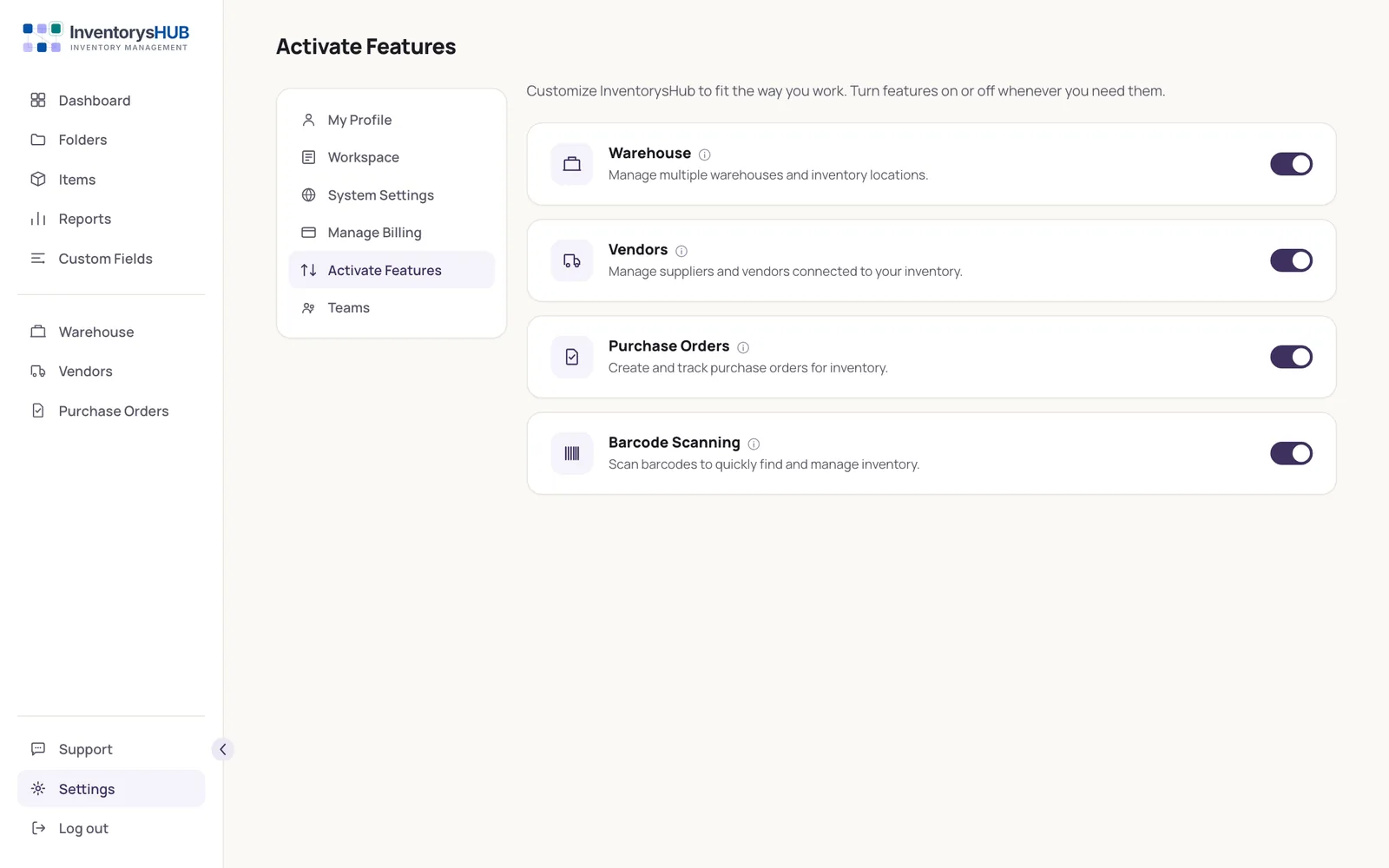
Click Settings in the left menu, then click Activate Features. Each feature is listed with a short description and an on and off switch.
-
Flip the switch
Click the switch next to the feature you want. It turns on straight away, and the matching item appears in the left menu, ready to use.
Turn on only what you will use this month. You can always add more later, and a shorter menu is easier for new staff.
-
Set the feature up
Each feature needs a little setup before it is useful. Add your first warehouse, your first vendor, your first purchase order or your first barcode, using the guides below.
What each feature adds
| Feature | What it does | Guide |
|---|---|---|
| Warehouse | Store items in different locations and see stock by site | Add a warehouse |
| Vendors | Keep supplier details linked to your stock | Add vendors |
| Purchase Orders | Track what you order and add stock when it arrives | Make a purchase order |
| Barcode Scanning | Add barcodes to items and print labels | Add a barcode |
Which features should I start with?
Most teams start with Purchase Orders, because tracking what is on the way helps from the very first week. Turn on Vendors next if you buy from several suppliers, then Warehouse once you keep stock in more than one place. Barcode Scanning makes the most sense when you have many items with similar names, or when you print shelf labels.
Turning a feature off
Click the switch again to turn a feature off. Its menu item and fields disappear, but your data is kept. Turn the feature back on and your warehouses, vendors, orders or barcodes are all still there. This makes it safe to try a feature and hide it if your team is not ready.
Why you turn on features in InventorysHub one by one
Starting small helps your team learn the basics first: items, folders and stock counts. As your business grows, you add tools when you need them, without moving to a new system. See every tool in one place on our inventory management tools page.
Quick answers
Why can I not turn on features in InventorysHub, like barcodes?
Some features depend on your plan. Barcodes need Advanced or Ultimate. See how to change your plan.
Do features cost extra?
No. Features are included in your plan. Turning them on or off does not change your bill.
Where are custom fields and reports?
They are always in the left menu and come with the Ultimate plan, so there is no switch for them here.