Before you start
- Export any reports you want to keep. See how to export a report.
- If you pay for a plan, cancel your subscription first.
- If you own a workspace, read the section below before you start.
How to delete your InventorysHub account
-
Open My Profile
Click Settings in the left menu, then click My Profile.
-
Scroll to Danger Zone
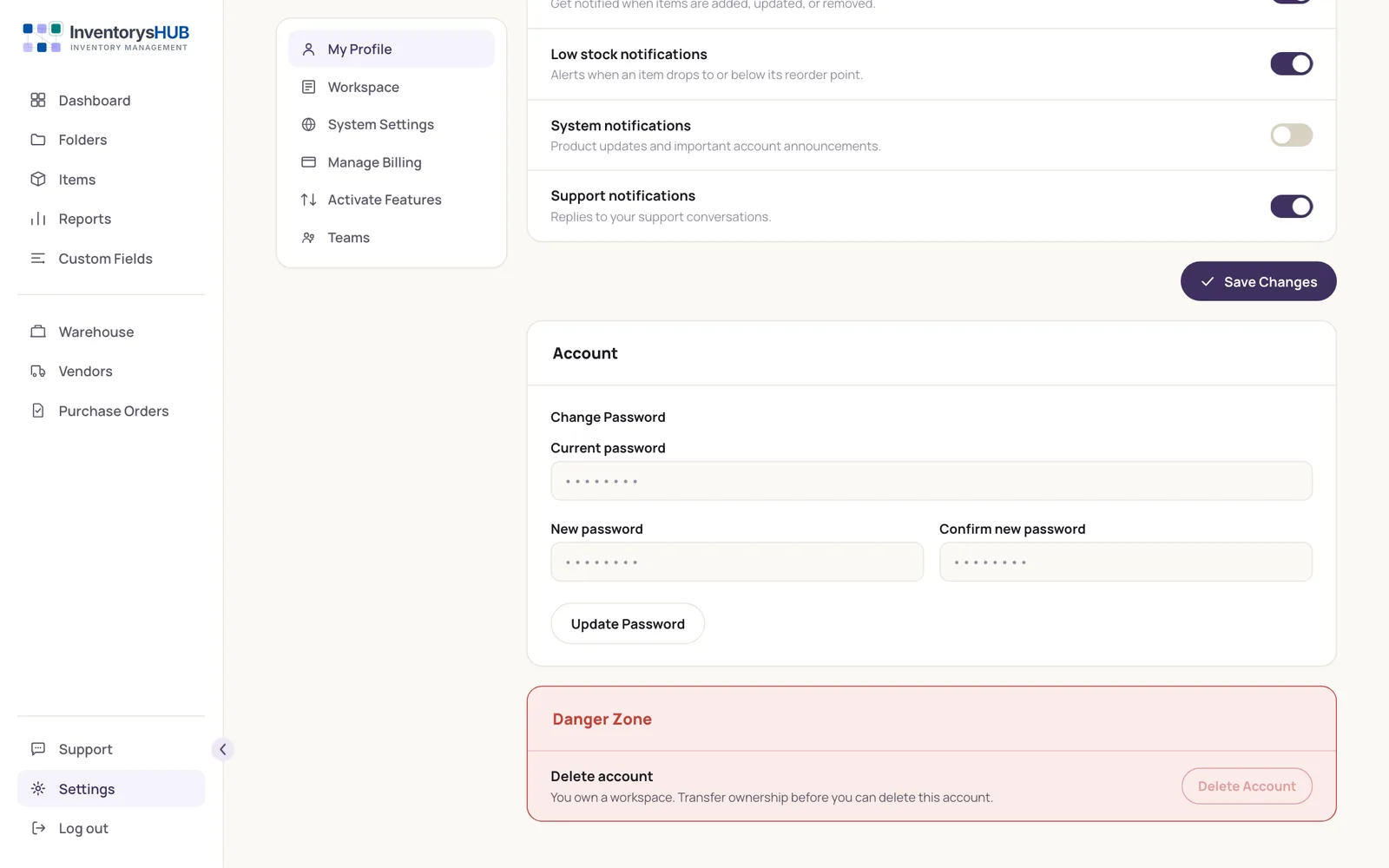
Scroll to the bottom of the page. The Danger Zone section has a red Delete Account button with a short note about what will happen.
-
Click Delete Account and confirm
Click Delete Account. Your browser asks you to confirm that you want to permanently delete your account. Click OK to go ahead. You are signed out, and your personal account and profile photo are removed.
This cannot be undone. If you only want a break, simply sign out instead.
If you own a workspace
The person who created a workspace is its owner, and the owner cannot be deleted while the workspace still belongs to them. In that case the button is greyed out and the note says “You own a workspace. Transfer ownership before you can delete this account.”
To hand the workspace to someone else, or to close the whole workspace, contact our support team from the app. Tell us who should become the new owner, or that you want the workspace closed, and we will guide you through it.
What happens to your data
- Removed: your login, profile details and profile photo.
- Kept for the team: items, folders and stock history in the workspace, because they belong to the business, not to one person.
- Your access: you can no longer sign in. To come back later, you would need to create a new account.
For the full details, read our data deletion policy and privacy policy.
Before you delete your InventorysHub account
Think about whether you really need to delete everything. If you are only leaving one team, the owner can remove you from that workspace instead, and your login stays for any other workspace. If something in the app is not working for you, our team would be glad to help fix it first.
Quick answers
Why is the Delete Account button greyed out?
You own a workspace. Contact support to transfer ownership or close the workspace first.
Can I get my account back after I delete my InventorysHub account?
No. Deleting is permanent. You can create a new account at any time with the same email.
Does deleting my account cancel my plan?
Cancel your subscription in Manage Billing first, so you are not charged for the next period.