Before you start
- Purchase orders are on every plan. Make sure Purchase Orders is turned on under Activate Features.
- Add your vendors first if you want to link the order to a supplier (Advanced and Ultimate plans).
- Make sure the items you are buying already exist in the app.
How to make a new purchase order in InventorysHub
-
Open Purchase Orders
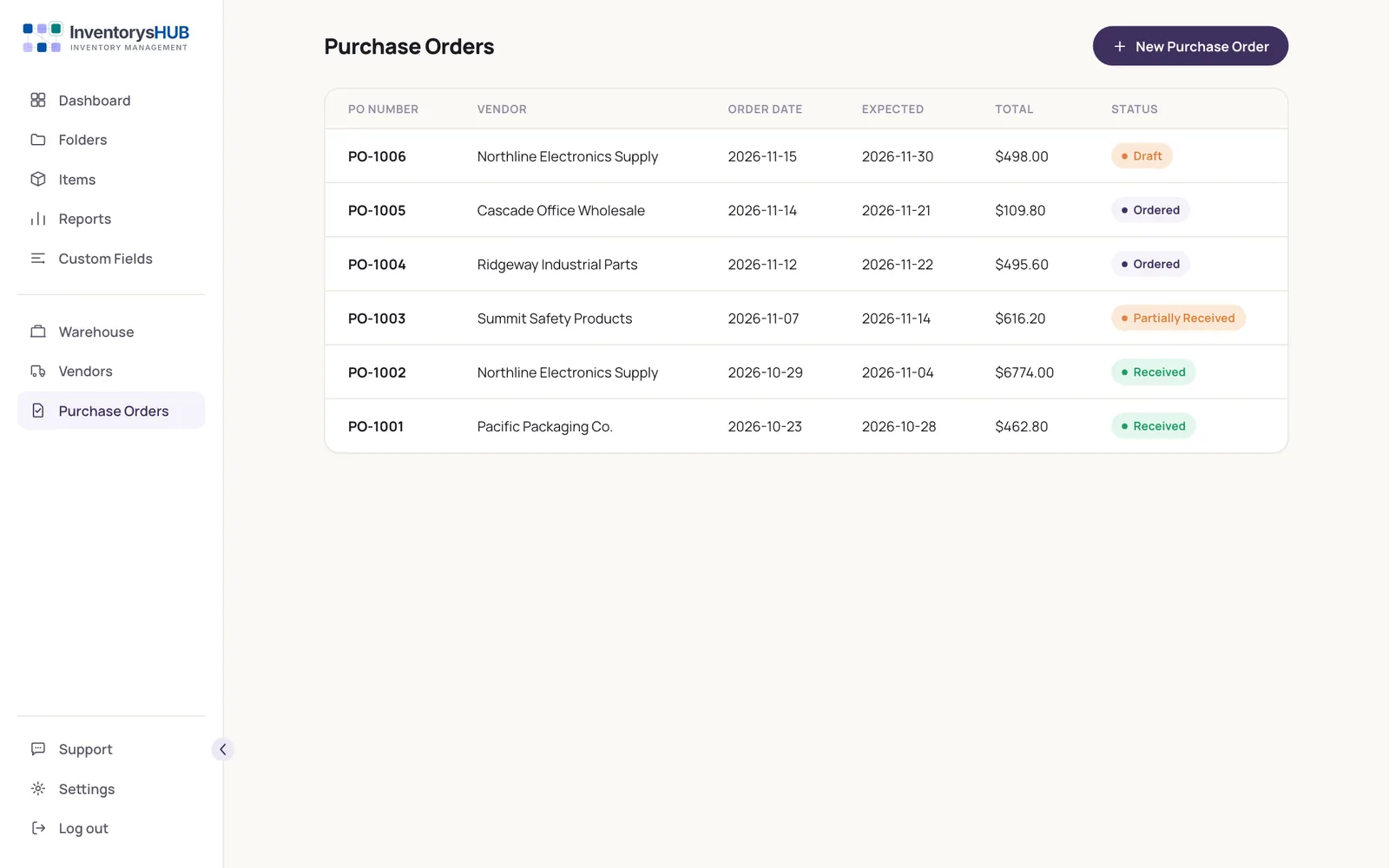
Click Purchase Orders in the left menu. The list shows each PO Number, Vendor, Order Date, Expected date, Total and Status.
-
Click New Purchase Order
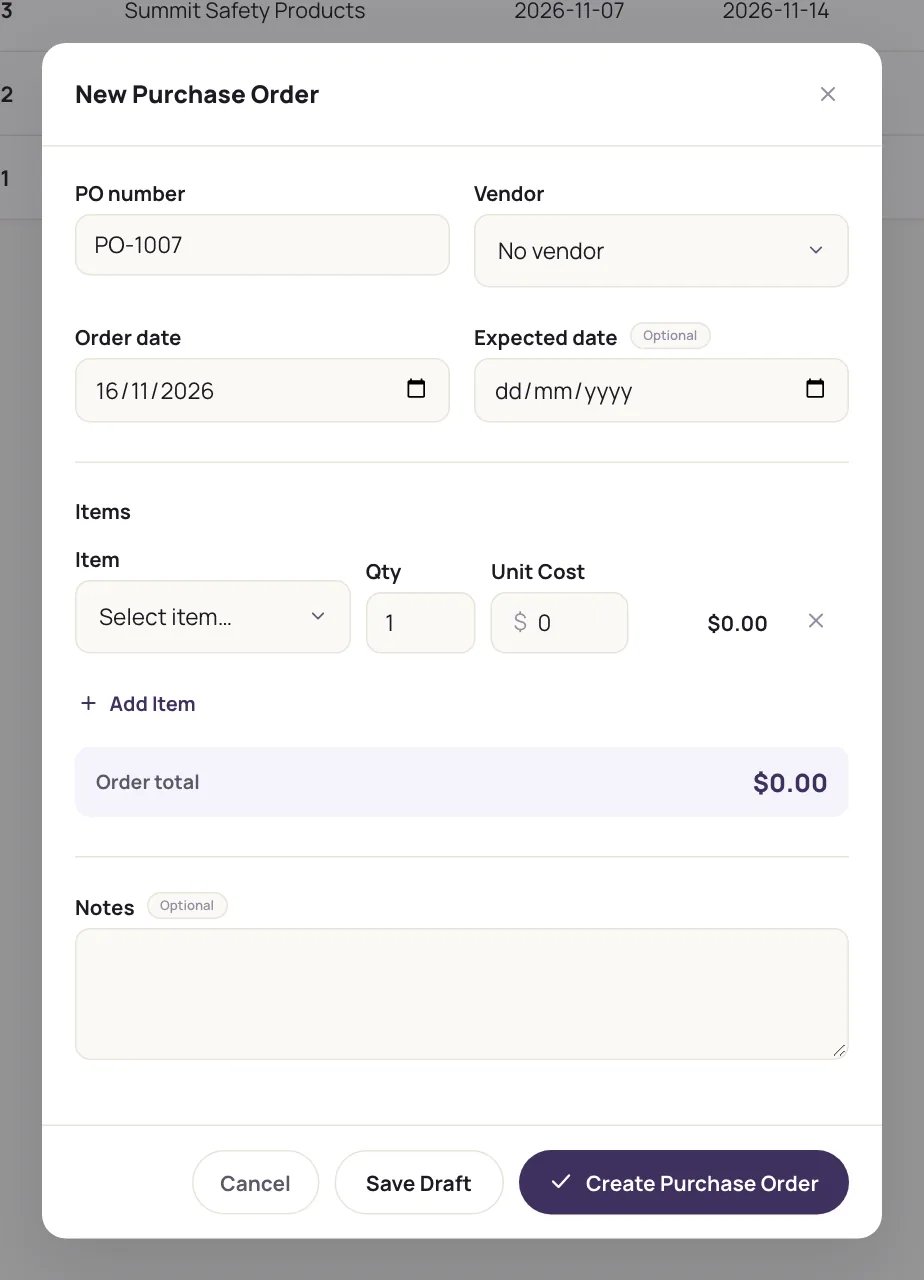
Click New Purchase Order. The PO number is filled in for you with the next number in order. Pick the Vendor, then set the Order date and the Expected date you hope the goods will arrive.
-
Add the items
For each line, choose the Item, type the quantity and the Unit Cost. Click Add Item for another line. The Order total updates as you go, so you can check the spend before you commit.
Use the Low Stock filter on the Items page first. It gives you a ready-made list of what to buy.
-
Add notes, then save or place the order
Use Notes for delivery instructions or a quote number. Then choose:
- Save Draft if you are not ready to order. The PO is saved with the status Draft.
- Create Purchase Order when you have placed the order with the supplier. The status becomes Ordered.
What each status means
| Status | Meaning |
|---|---|
| Draft | Saved for later, not yet sent to the supplier |
| Ordered | Placed with the supplier and waiting to arrive |
| Partially Received | Some lines have arrived, but not all |
| Received | Everything has arrived and stock has been added |
| Cancelled | No longer needed |
After you place the order
When the delivery arrives, open the PO and receive it, and the app adds the units to stock for you. Follow how to receive a purchase order for the steps. A new purchase order in InventorysHub also gives you a record of what you paid, which makes checking supplier bills much easier.
New to POs? Read what is a purchase order, or see the full feature in our purchase order management software.
Quick answers
Can I change the PO number on a new purchase order in InventorysHub?
The number is filled in for you so orders stay in sequence, which keeps your records easy to search.
Why is the Vendor box locked?
Linking a vendor to an order is part of the Advanced and Ultimate plans, and the Vendors feature must be turned on.
Does creating an order change my stock?
No. Stock only goes up when you receive the order, so your counts always match what is really on the shelf.