Before you start
- Set a reorder point on the items you care about. Without one, an item only alerts you when it reaches zero.
- Alerts appear inside the app, on every page, in the bell at the top right.
How InventorysHub low stock notifications work
-
Stock drops to the reorder point
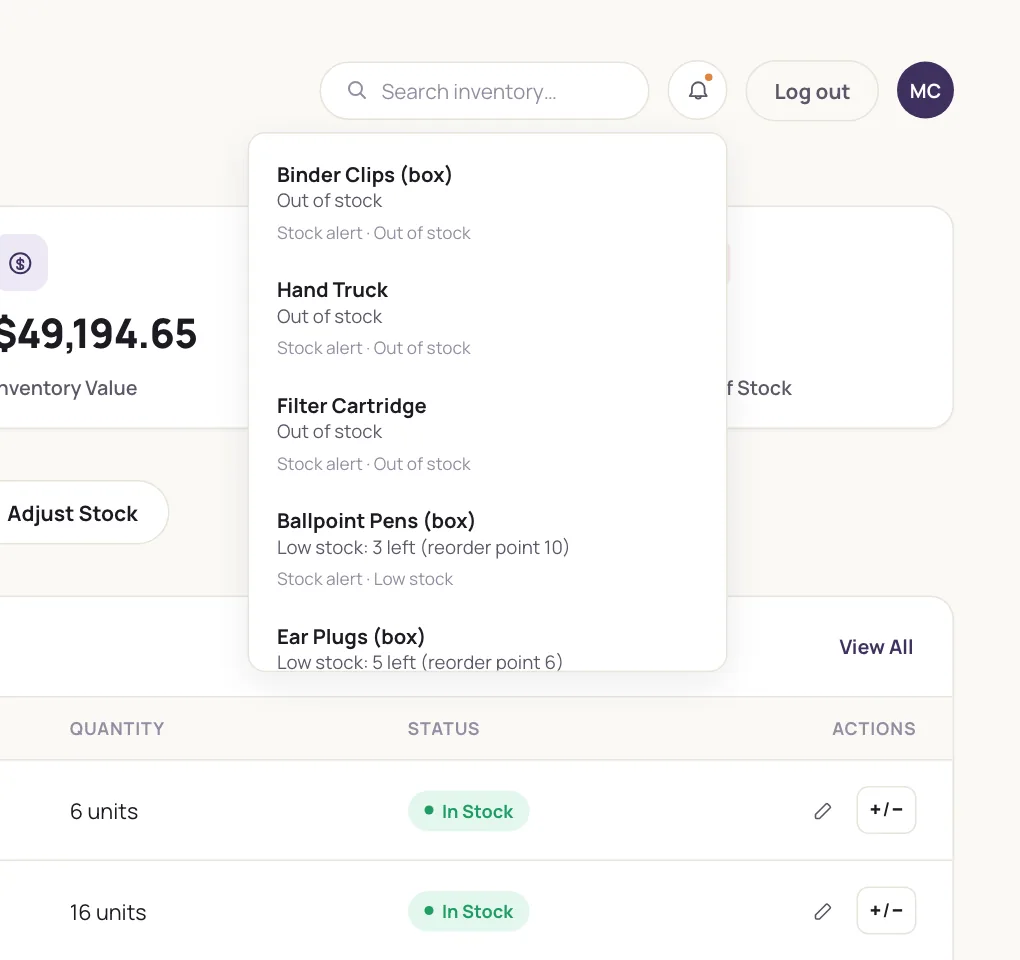
When an item’s quantity falls to or below its reorder point, it is marked Low Stock. When it reaches zero, it is marked Out of Stock. Either change creates a notification for everyone on the team who has the alerts turned on.
-
Check the bell
A small dot on the bell icon at the top right means you have unread alerts. Click the bell to open the list. Each alert names the item and says how many are left, such as “Low stock: 3 left (reorder point 10)” or “Out of stock”.
-
Open the item and act
Click an alert to mark it as read and jump straight to the item. From there you can update stock if the count is wrong, or make a purchase order to buy more.
Short on time? Open Items and click the Low Stock filter to see every item that needs ordering in one list.
Turn InventorysHub low stock notifications on or off
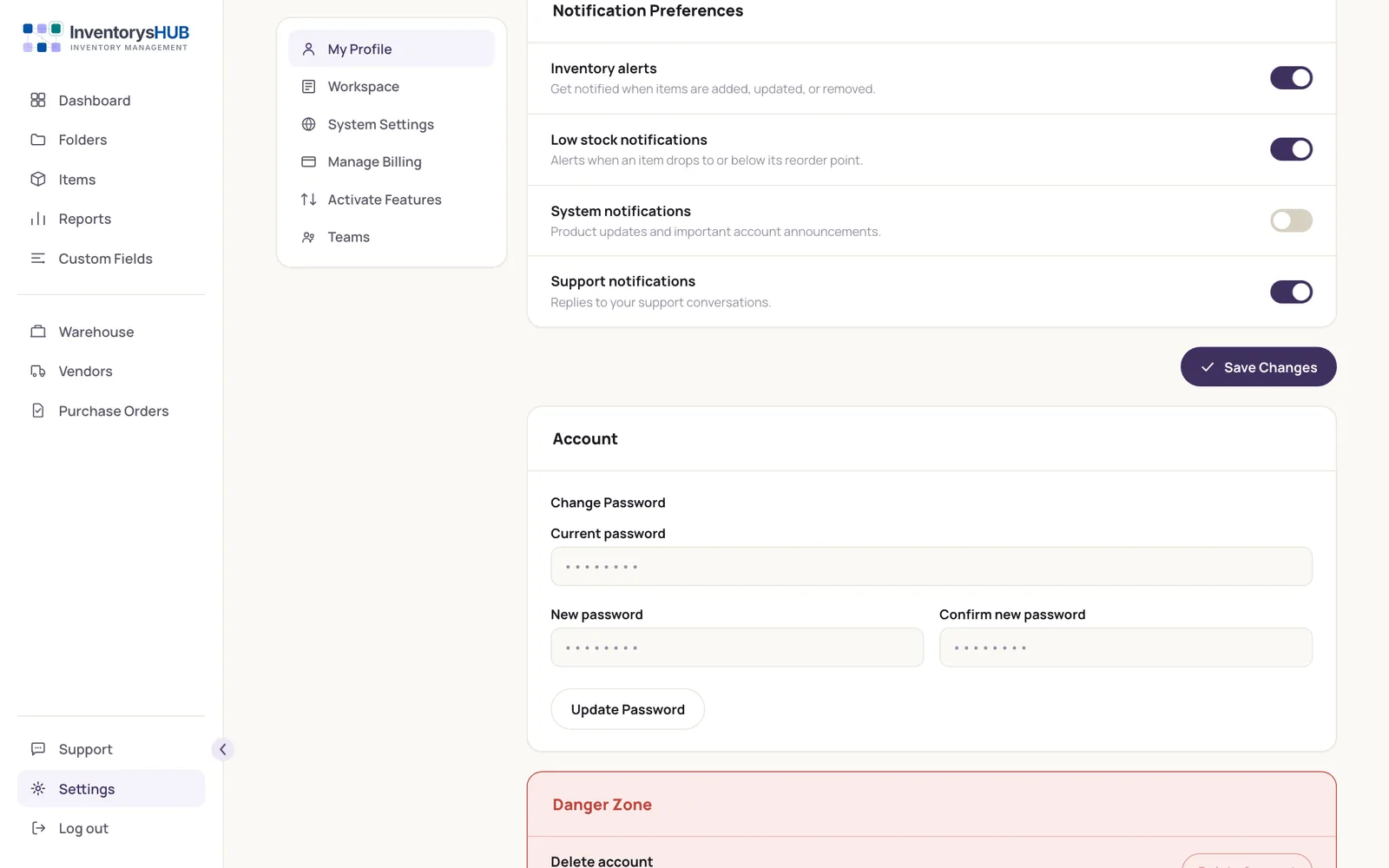
Each person chooses their own alerts. Open Settings, then My Profile, and find Notification Preferences. Switch Low stock notifications on or off, then click Save Changes. The same section has switches for inventory alerts, system news and support replies.
Other places that show low stock
- The Low Stock and Out of Stock cards on the dashboard count the items at risk.
- The Low Stock panel on the dashboard lists them by name.
- Each item shows a coloured status: In Stock, Low Stock or Out of Stock.
- On the Ultimate plan, the Low Stock and Out of Stock reports give you a full list you can filter and export.
Why early warnings matter
Running out means lost sales and rushed orders, and it can leave customers waiting on items that are backordered. Our blog post on what is a backorder explains the cost. Timely alerts are a core part of a good inventory control system, because they turn stock data into action before it is too late.
Quick answers
Do InventorysHub low stock notifications come by email?
No. They appear in the bell inside the app, so check it when you sign in each day.
Why did I not get an alert for an item?
Make sure the item has a reorder point and that Low stock notifications is switched on in your profile.
Will an alert repeat if stock stays low?
Once you have read an alert, it is marked as read. The item stays in the Low Stock filter until you add more stock.