Before you start
- Sign in to your workspace. Everyone on the team can edit items.
- Find the item first, using the Items list or the search box at the top of the page.
How to edit an item in InventorysHub
-
Open the item
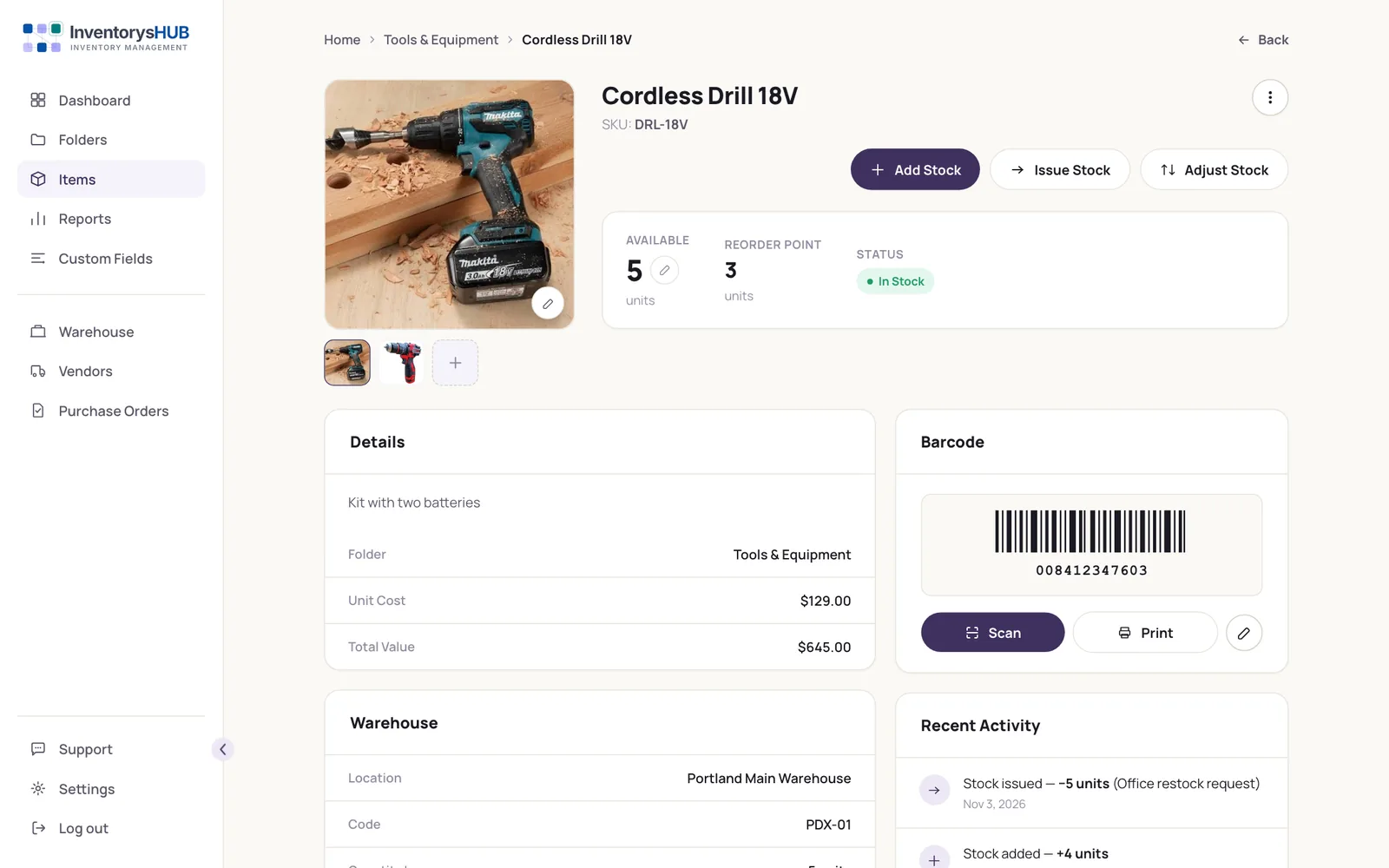
Click Items in the left menu and click the item’s name. The item page opens with its photo, stock numbers, barcode, warehouse and recent activity.
-
Open the actions menu
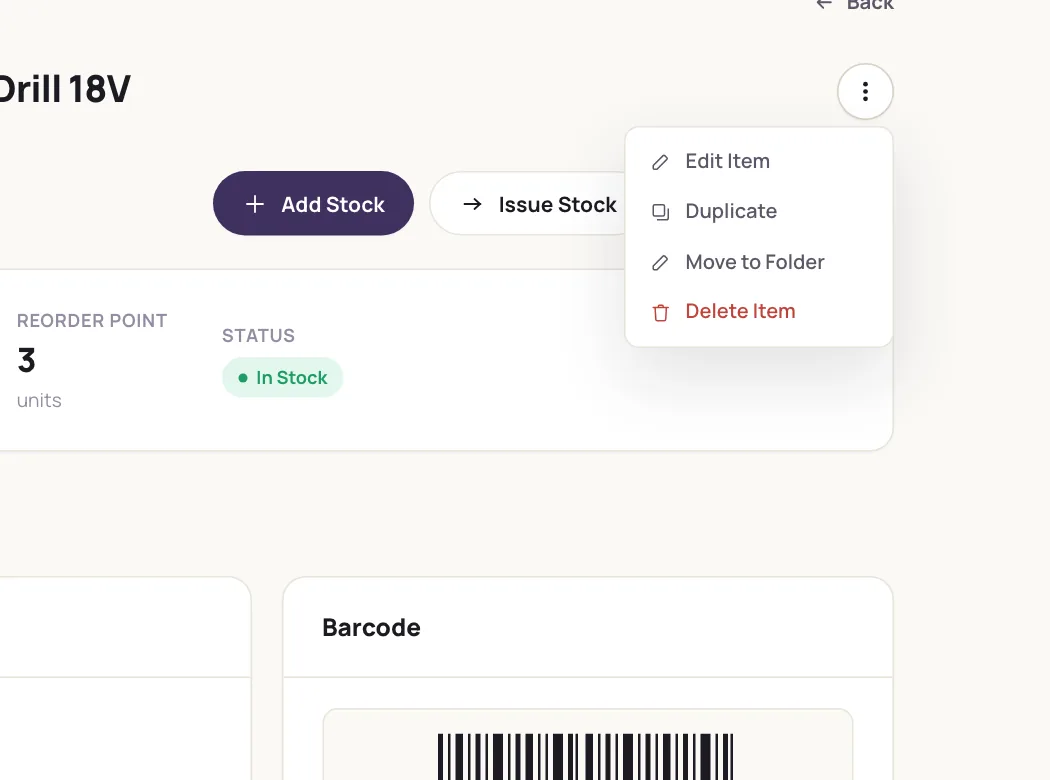
Click the ⋮ button at the top right of the item page. The menu offers Edit Item, Duplicate, Move to Folder and Delete Item.
-
Change the details and save
Click Edit Item. The same form you used to add the item opens, already filled in. Change any field, such as the name, SKU, reorder point, unit cost or photos, and click Save Item.
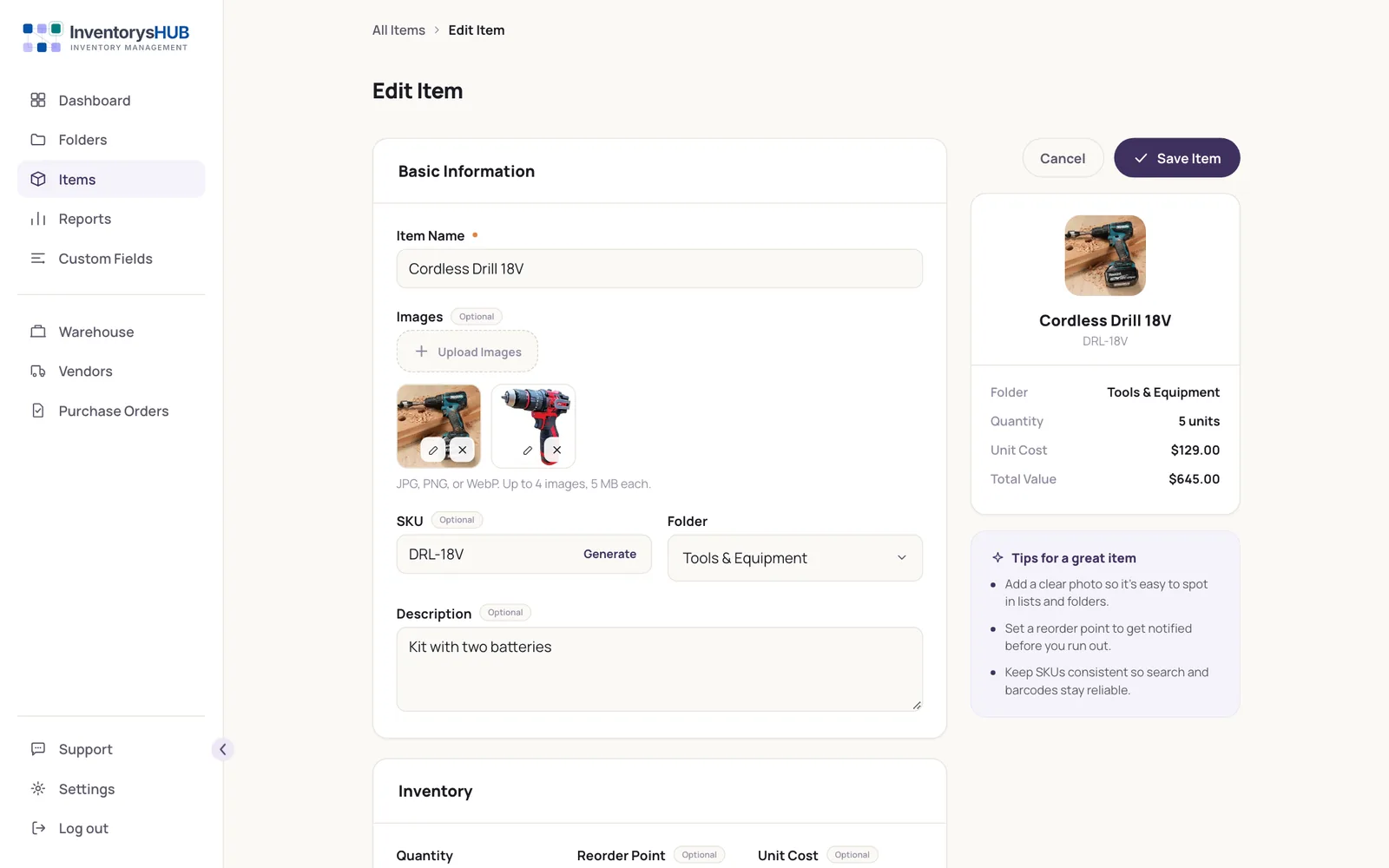
In the Items list, the small pencil on each row is a shortcut straight to this edit form.
Duplicate an item to save typing
Choose Duplicate from the menu when a new item is almost the same as one you already have, such as the same glove in a new size. The copy gets the name plus “(Copy)” and the SKU plus “-COPY”, so nothing clashes. Then edit the copy to set its real name, SKU and quantity.
Move an item to another folder
Choose Move to Folder, pick the new folder from the list and click Move Item. The stock and history stay exactly the same; only the folder changes. To move many items in one go, use bulk actions.
Delete an item
Choose Delete Item and confirm with Delete. The item moves to Trash rather than vanishing for good, so a slip is easy to undo. Follow how to restore deleted items to bring it back or remove it forever.
Keeping records tidy like this is part of good day-to-day control, which our stock management software is built for.
Quick answers
Does editing an item change its stock history?
No. When you edit an item in InventorysHub, its past stock changes stay in the log. To change the count, use Add, Issue or Adjust Stock instead.
Can I change the quantity in the edit form?
Use the stock buttons on the item page so the change is logged with a reason. See how to update stock.
Does Duplicate copy the quantity?
Yes, the copy starts with the same quantity, so edit it straight away if the new item has a different count.
Can I edit an item in InventorysHub from my phone?
Yes. Open the app in your phone browser, find the item and use the same menu, because every screen works on small screens too.