Before you start
- Sign in as the workspace owner.
- You need an active paid plan. On the free plan, first choose a plan.
- If you are moving down, make sure you are within the smaller plan’s limits for items, users and warehouses.
How to change your InventorysHub plan
-
Open Manage Billing
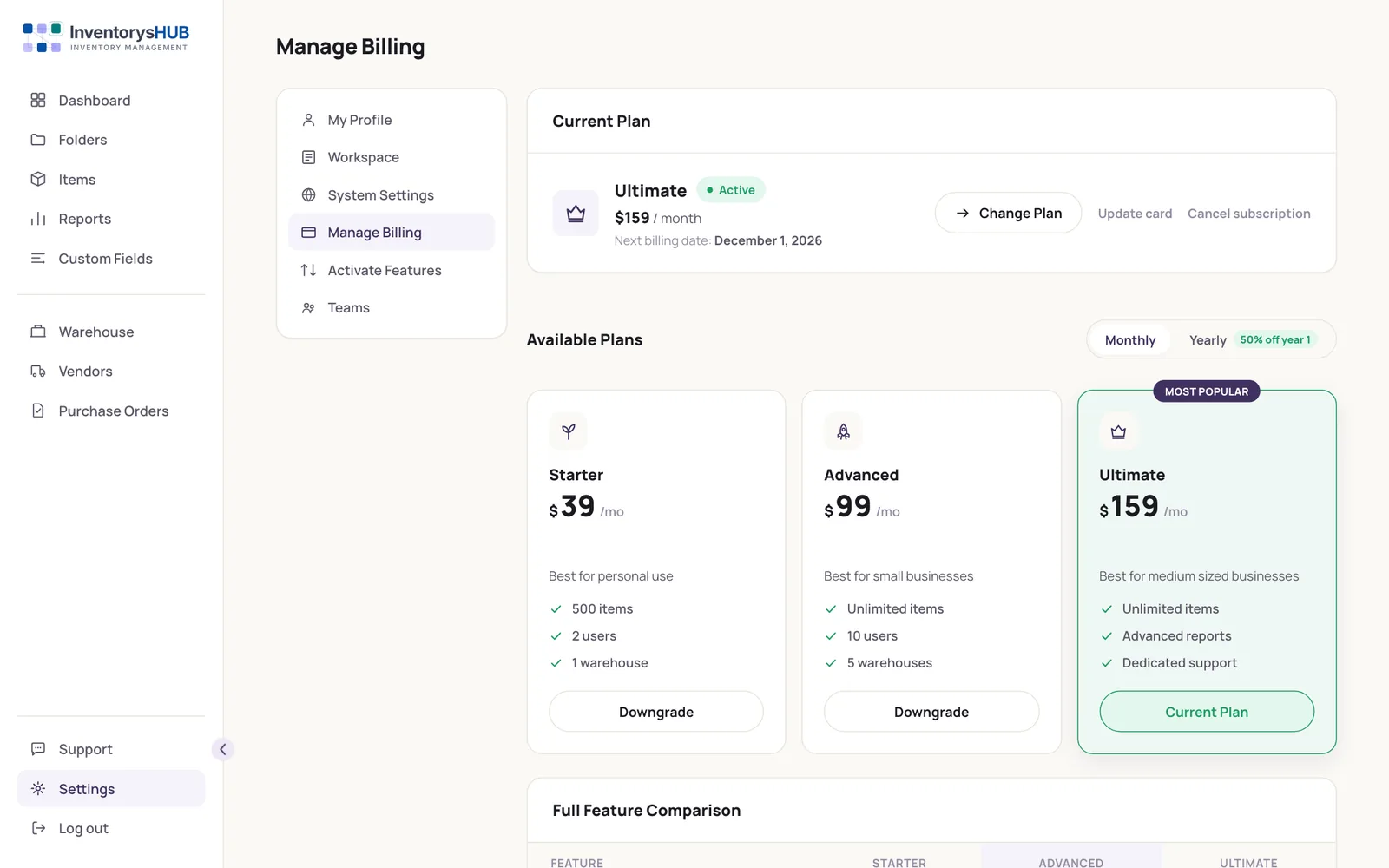
Click Settings, then Manage Billing, where the Current Plan card at the top shows your plan, its price and the date of your next renewal.
-
Pick the new plan and billing period
Scroll to Available Plans. Use the Monthly and Yearly switch to pick how often you want to pay. Your current plan is marked Current Plan, and the other cards offer Upgrade or Downgrade.
-
Check the change and confirm
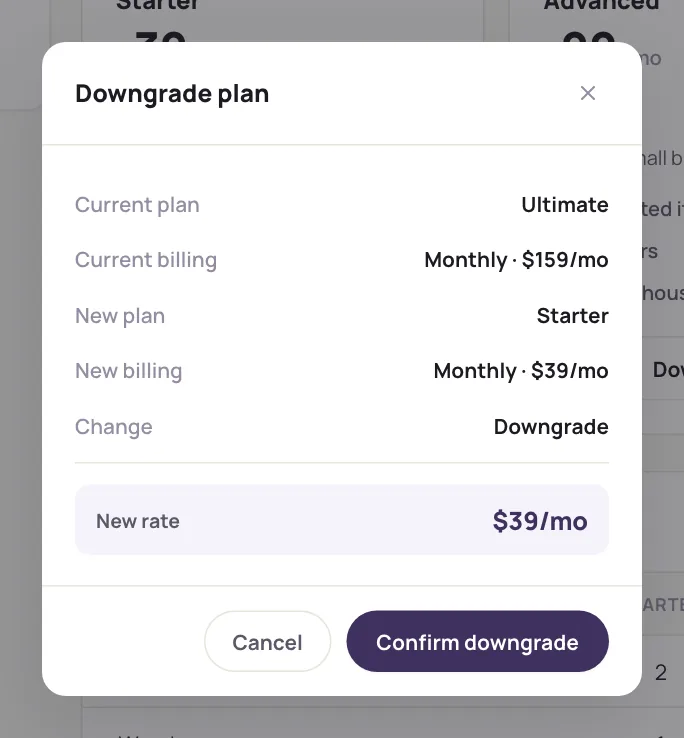
Click Upgrade or Downgrade. The Change plan window shows your current plan and billing, the new plan and billing, and the New rate. Read it carefully, then click the confirm button.
-
Done
A message says Your plan has been updated, the new features and limits apply straight away, and the Current Plan card shows your new plan, price and renewal date.
Upgrading is instant, so you can move up the moment you need a feature such as reports or barcodes.
Before you move to a smaller plan
- Count your active items, users and warehouses, and compare them with the new plan’s limits.
- Archive old warehouses and remove people who have left, to get under the limits.
- Export any reports you want to keep, because Reports and Custom Fields come only with Ultimate.
- Turn off features the smaller plan does not include, such as Barcode Scanning on Starter.
Monthly or yearly?
Monthly billing is flexible and good while you are still finding your feet. Yearly billing costs less over the year, with a bigger saving in the first year. Many teams start monthly and switch to yearly once the app is part of their daily routine. Compare today’s prices on our InventorysHub pricing page.
Who can change your InventorysHub plan
Only the workspace owner can manage billing, so if an Admin or Member needs a feature, they should ask the owner to make the change. If your plan was set up for you by our team, contact support and we will change it for you.
Quick answers
Will I lose data if I change your InventorysHub plan to a smaller one?
Your data is kept. Features the smaller plan does not include are locked until you upgrade again.
How is the price worked out when I switch mid-month?
The Change plan window shows the new rate before you confirm, and any difference appears on your next invoice.
Can I go back to the free plan?
Yes. Cancel your subscription, and your workspace moves to the free plan at the end of the paid period.